Get Slack notifications for missed calls, 911 alerts, and call activity in your department — in the channel your team already watches.
 Included on Pro plans and up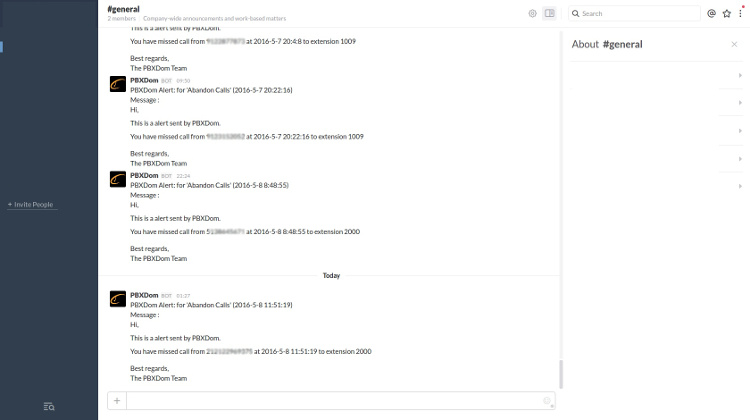
Receive a Slack notification the moment toll fraud is detected — or when anyone dials 911. The alert lands where your team will actually see it.
Payroll is most organizations' largest expense; small productivity gains compound. Immediate phone-activity notifications in Slack mean missed calls get returned in minutes, not days.
Log in to your PBXDom account and go to Settings → Account.
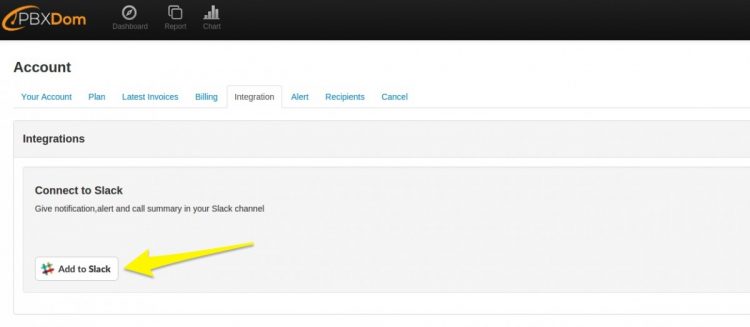
On the Integration tab, click Add to Slack and wait to be redirected to the Slack website.
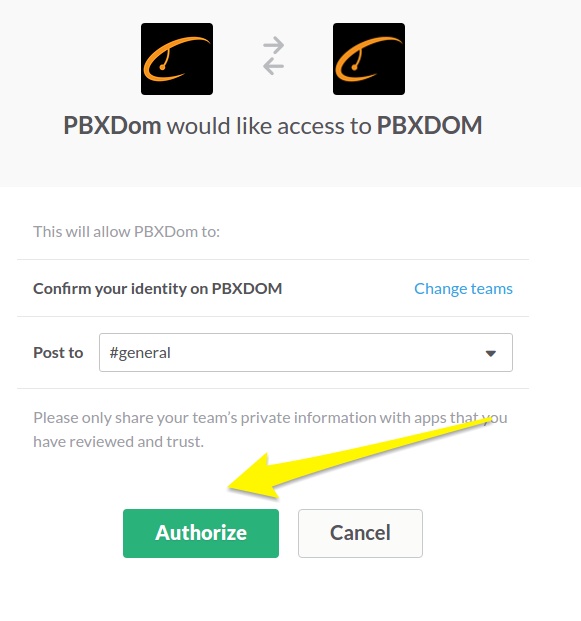
Select the channel that should receive PBXDom notifications and click Authorize.
In the alert section, set the alert type to Slack — alerts now arrive in your channel.
Check your PBX, then choose guided setup if you want us to connect Slack and send a test alert with you.
 PBXDom