PBXDom
Collector configuration
- IP address: address of your IP Office unit
- Port: 2300
- User: leave blank
- Password: leave blank
PBX Settings
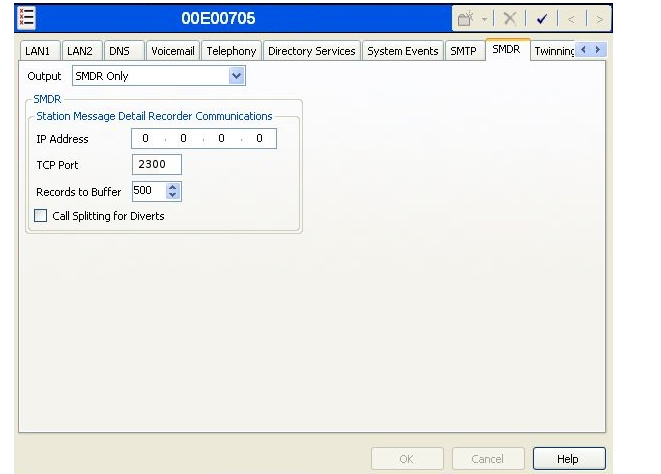
Open the IP Office Manager Console or web console and go to System > SMDR.
- IP address: 0.0.0.0
- TCP port: 2300
- Records to buffer: 500
- Call Splitting for Diverts: enable this option