 PBXDom
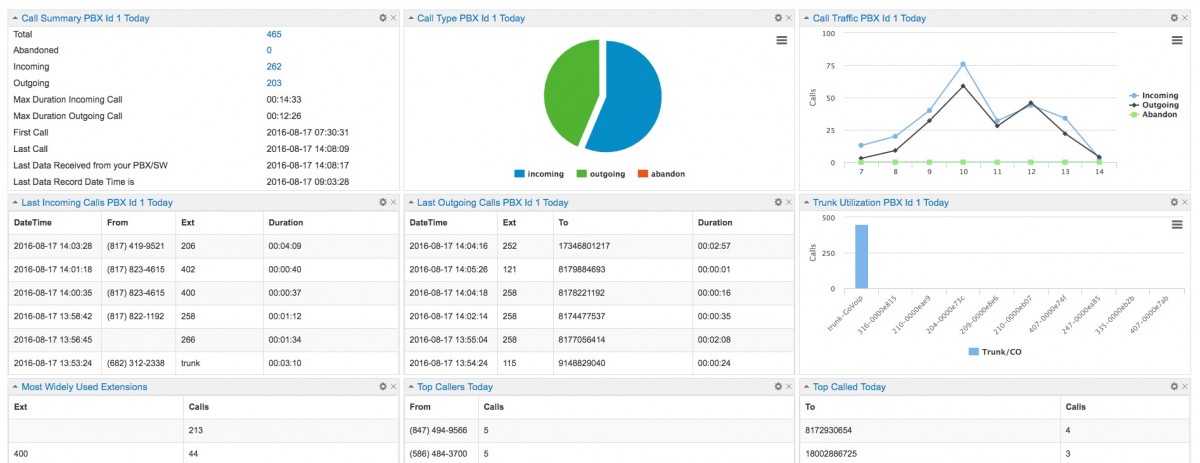
Cisco CDR reporting turns Cisco Unified Communications Manager call records into searchable call history, missed-call reports, department activity and call accounting. You can use Cisco’s built-in CDR Analysis and Reporting (CAR), export records for a one-time investigation, or send records continuously to an external reporting system such as PBXDom.
Start with the question you need to answer: which customer calls went unanswered, where outbound costs came from, or when a gateway carried the most traffic. This guide connects those questions to the records, collection steps and checks needed to trust a report.
Updated September 20, 2026. Jump to report examples, CAR versus external reporting, collection setup, or validation and troubleshooting.
Cisco CDR report examples
For a call-history investigation, narrow the time range and follow the caller, destination, extension, duration and route. The report below illustrates the output you can evaluate before connecting your system.
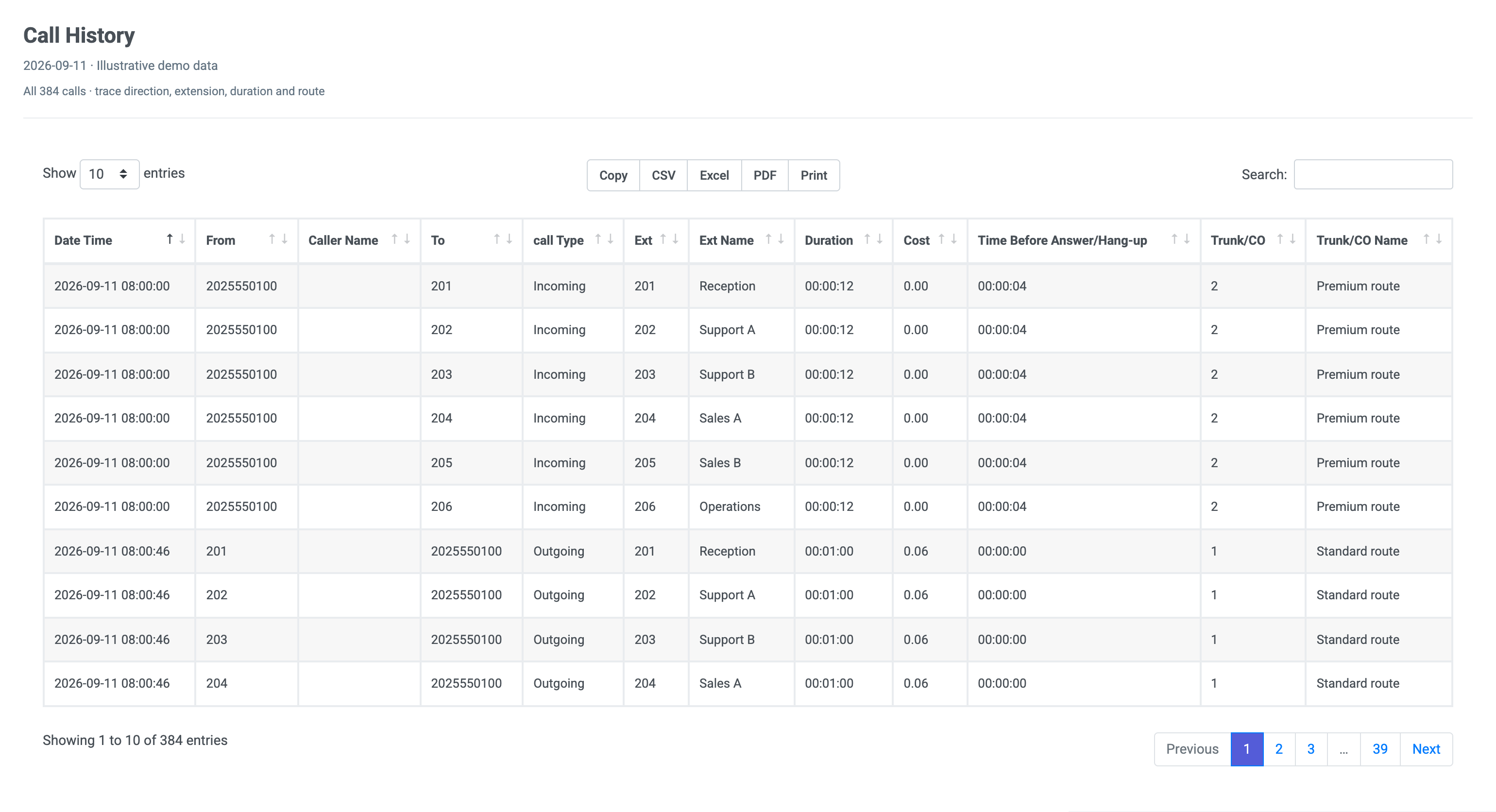
Illustrative demo data, not records from a Cisco deployment. Open the image full size or read the call-history report’s column guide. Available fields depend on your source records and configuration.
- Find a customer’s call: use the timestamp and calling/called numbers, then follow related call legs if it was transferred. A report row does not necessarily equal one customer conversation.
- Identify missed opportunities: review abandoned-call examples alongside answered calls. An unanswered extension leg may belong to a call that another extension answered.
- Compare departments: map extensions to departments before comparing volume and duration. Names and organizational groups require maintained mappings.
- Allocate outbound costs: apply the appropriate rate rules to the destination and duration. A cost column is calculated reporting data, not a carrier invoice embedded in a CDR.
PBXDom’s Cisco integration requirements explain supported platforms, collection methods and the Windows collector. Check those requirements against your exact deployment before connecting it.
What is a Cisco CDR?
A Cisco Call Detail Record describes a call leg processed by CUCM. Common fields identify the calling and called parties, origination and connection times, disconnect time, duration, routing devices, and disconnect causes. Transfers, forwards, and conferences can produce multiple records for what a user considers one call, so reporting logic must reconstruct the complete journey instead of counting every row as a separate customer call.
Cisco also produces Call Management Records, commonly called CMR or diagnostic records. CMR data describes media quality, including packet loss, jitter, latency, and the amount of media sent or received. CDR answers who called, where the call went, and how long it lasted. CMR helps investigate how the media path performed.
CDR and CMR together are often called CDR data, but they solve different reporting problems.
How CUCM moves CDR files
On current CUCM releases, call-processing nodes send records to the publisher. The CDR Repository Manager preserves the files according to the cluster configuration and can deliver them to configured billing application servers using FTP or SFTP.
The normal external-reporting path is:
- Enable CDR generation on the call-processing nodes that need to be reported.
- Enable zero-duration records when missed and unanswered calls must be analyzed.
- Configure the external collector as a billing application destination.
- Confirm that CUCM is delivering new files.
- Parse and normalize the records before creating reports.
For a one-time investigation, an administrator can also export Cisco CDR and CMR records manually. Manual export is useful for an audit or troubleshooting exercise. It becomes difficult when managers need a report every morning or an alert shortly after a call.
What Cisco CAR provides
CUCM includes CDR Analysis and Reporting, usually called CAR. CAR consumes CDR and CMR data from the cluster and provides built-in reports for users, gateways, traffic, billing, and system activity. It is useful for native administrative reporting and should not be confused with the CDR Repository Manager, which is responsible for file handling and billing-server delivery.
CAR may be enough when:
- only occasional built-in reports are required;
- the reporting audience already has appropriate CUCM access;
- the retention and report formats fit the operational requirement;
- no cross-system or cross-vendor view is needed.
An external reporting layer becomes relevant when reports must run continuously, combine several clusters or phone systems, retain normalized history, expose dashboards to non-CUCM users, or apply business-specific rules.
Choose CAR when its native reports answer the question. Choose a manual export when you need a bounded dataset for an investigation. Evaluate external reporting when people need repeatable operational reports and shared access; test the required report with your own call scenarios before deciding. CAR already includes billing and traffic reports, so the comparison should be about the workflow and output you need, not a claim that CUCM cannot report on calls.
Validate your first Cisco CDR report
Before relying on a daily report, run a small acceptance test with calls you can identify. Record the time zone, calling number, destination and expected outcome for each test.
- Check collection coverage. Confirm CDR generation on each relevant call-processing node and delivery to the configured billing destination. Compare the newest received file time with a known completed call. A reachable collector alone does not establish that every node is sending records.
- Test one answered inbound and one outbound call. Locate each by time and number. Check direction, extension, connected duration and route against what happened. Account for number transformations in the dial plan.
- Test an unanswered call. Check zero-duration CDR logging if the record is missing. Do not classify every zero-duration row as a missed customer call; use the call’s connection state, cause and related legs.
- Test a transfer or hunt-group call. Compare the complete customer journey with the individual records. Decide whether the report counts attempts, legs or conversations before comparing totals.
- Check the reporting day. Convert Cisco timestamps consistently and apply the intended time zone, including daylight-saving changes. A call near midnight can fall on a different reporting date after conversion.
- Validate business mappings. Confirm that extensions, departments, trunks and rate rules match the deployment. Missing names or zero costs may indicate incomplete mappings rather than missing CDR files.
If the report is empty, work upstream: did CUCM generate the record, did the repository deliver the file, did the collector accept it, and does the report filter include its timestamp? If totals disagree, compare the same period and call definition before assuming collection failed. If only quality measurements are missing, investigate the separate CMR generation and processing path; CDR call history does not establish CMR support in an external tool.
For continuous collection, use the CDR Service delivery path. Cisco describes CDRonDemand as an interface for retrieving a small number of files for ad-hoc inspection, not bulk reporting. See Cisco’s CDR service overview.
Reporting questions the records can answer
Complete call history
CDR fields can reconstruct incoming, outgoing, internal, transferred, forwarded, and abandoned call activity. Correct reporting accounts for multiple call legs and uses call identifiers to avoid double counting.
Missed and abandoned calls
Unanswered calls require zero-duration CDR logging. Duration, connection time, called-party fields, and disconnect causes can then distinguish calls that connected from calls that rang without an answer. Hunt pilots and forwarded calls require additional grouping logic. The detailed workflow is covered in How to Track Missed Calls on Cisco CUCM.
Gateway and trunk activity
Calls can be grouped by originating or destination device, route pattern, gateway, or trunk-related fields to examine traffic distribution and busy periods. This supports capacity investigation, but a CDR traffic report is not a substitute for real-time network or voice-quality monitoring.
Extension and department activity
After extensions are mapped to people, departments, or sites, reports can compare call volume, duration, answer behavior, and frequently dialed destinations. The mapping layer is business data; CUCM CDR does not inherently know the organization’s reporting hierarchy.
Call accounting
Outbound call records can be matched to configured rate rules for cost allocation by extension, department, account code, or site. Accuracy depends on the available dialed-number fields and the rate configuration, not on CDR collection alone.
Alerts
A continuous CDR stream can drive rules for emergency-number calls, repeated missed calls, international dialing, or other patterns. The alert can only include location or organizational context that has been configured and associated with the relevant device or extension.
CDR reporting is different from call recording
CDR contains metadata about call handling. It does not contain the audio conversation. CMR contains media diagnostics, not recording media. A reporting system that consumes CDR and CMR therefore does not replace Cisco call recording, contact-center routing, dial-plan administration, or real-time infrastructure monitoring.
This distinction matters during evaluation: decide whether the requirement is call history and analytics, voice-quality diagnostics, audio recording, or contact-center reporting before selecting a tool.
Evaluating an external Cisco reporting system
Confirm these facts before installation:
- exact CUCM, Business Edition, UCME, or gateway platform and release;
- enabled CDR/CMR services and zero-duration record settings;
- supported delivery protocol and network path;
- collector operating-system and outbound-access requirements;
- call-history, retention, report, and alert requirements;
- how multiple call legs, hunt pilots, and forwarded calls are interpreted;
- which users need reporting access without CUCM administration rights.
PBXDom documents its current CUCM, legacy Call Manager, UCME, UC500, and Cisco gateway collection paths on the Cisco call reporting page. Check the exact deployment there before starting self-setup or scheduling a guided connection.
Cisco documentation
The collection and record distinctions above follow Cisco DevNet’s CDR overview. For CAR’s native capabilities and administration, consult the Cisco CUCM 15 Reporting and Billing Administration Guide. Use the administration guide for your installed release when configuring services.