 PBXDom
Many people used AWS, want to redirect non-www to www to avoid duplicate content.
Following the steps below will resolve your problem:
Step 1: Go to S3 Service and Create a new bucket with mysite.com and enable StaticWebhosting. Then
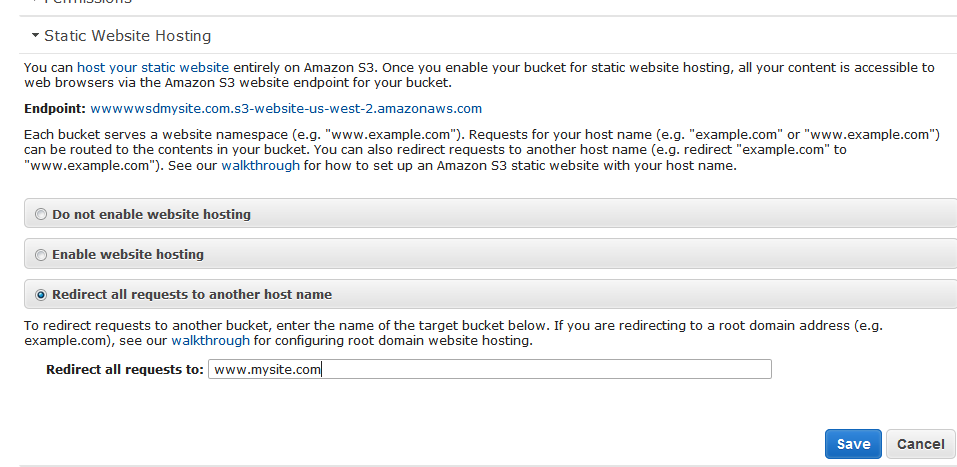
Select Redirect all requests to another hostname and type www.mysite.com.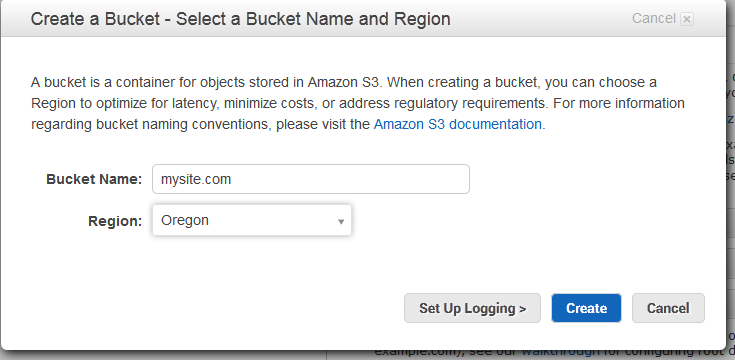
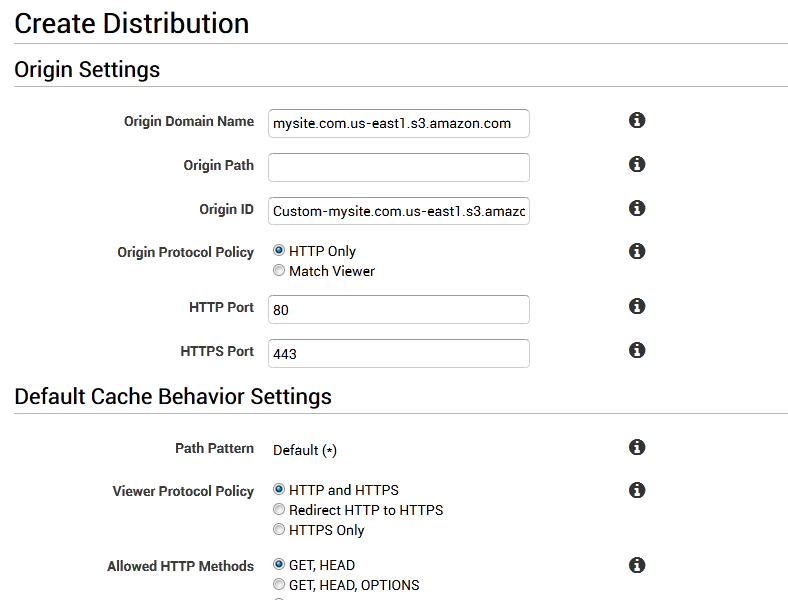
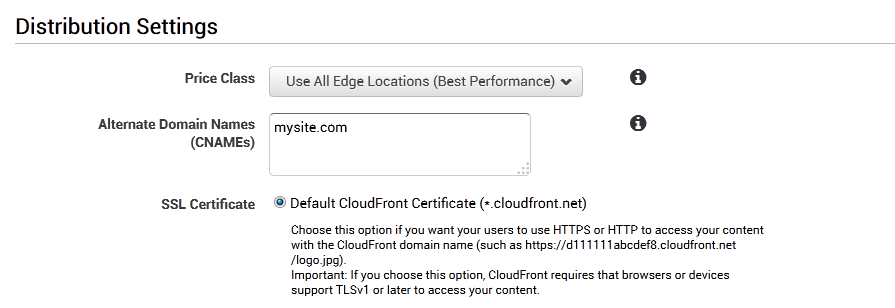
Step 2: Go to CloudFront and create new Dist and in origin put endpoint of S3 bucket we created in previous
Step and in CNAME writes mysite.com and Click Create Distribution.
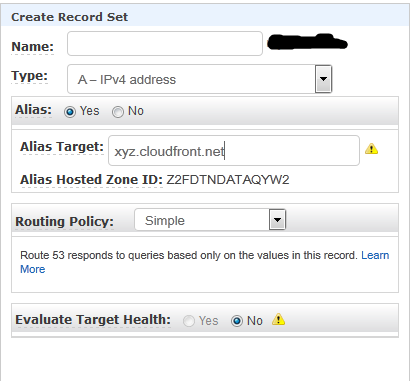
Step 3: go to Route 53 and add New A record mysite.com (not add any prefix) and select Alias yes.
And put CloudFront endpoint URL we created in step 2 example (xyz.cloudfront.net).
After the DNS changes, if you try mysite.com, it should redirect to www.mysite.com.