 PBXDom
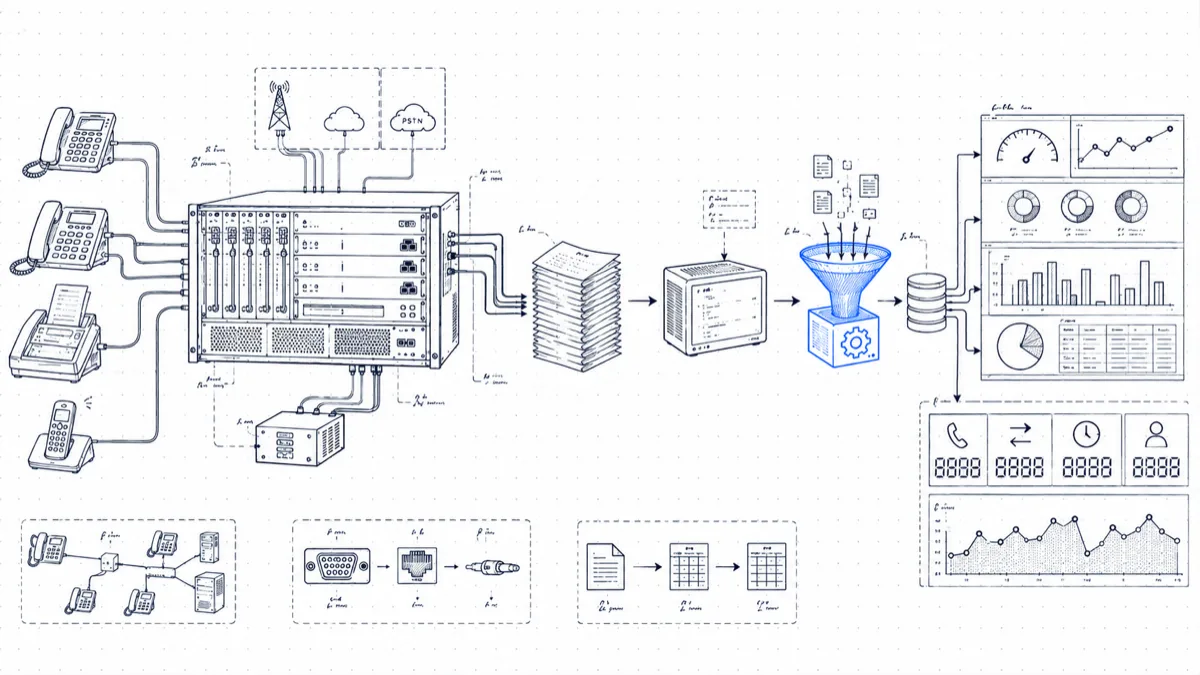
Avaya Aura Communication Manager has produced some of the most detailed call records in the industry for decades, and some of the most awkward to collect and parse. The CDR subsystem predates the modern parts of the platform, and that age is why it still works on each CM release you’ll meet in the field, from creaky 5.x survivors to current 10.x. This guide walks through getting the records out and turning them into something useful.
How Communication Manager generates CDR
CM writes one record per call (or per call segment, depending on options) and pushes it out a “CDR link”: a TCP connection from the server to a collection device, called an adjunct in Avaya vocabulary. There is no big local database of calls you can query at leisure; if nothing is listening on the link and the internal buffer wraps, the records are gone. That design decision drives the rest of the setup: the collection side has to be reliable and always on.
Configuring the CDR link
Three administration screens, in order. You’ll need SAT access (via ssh to the server, then sat, or through ASA).
1. Define the collector in node-names
change node-names ip
Add an entry mapping a name to the IP address of the machine that will receive CDR, for example cdr-collector 10.20.5.40. CM refers to endpoints by node name in the rest of the forms, so this comes first.
2. Create the CDR service in ip-services
change ip-services
Add a row with service type CDR1 (plus CDR2 if you want a secondary destination, which is useful for running an old collector and a new one in parallel during a migration). Local node is procr on most systems, local port stays 0, remote node is the node name you created above, and remote port is whatever your collector listens on; 9000 is a common choice.
On page 3 of the same form, set Reliable Protocol to y if your collector supports Avaya’s Reliable Session Protocol (RSP). RSP adds sequence numbers and acknowledgments on top of TCP so records survive brief link drops. If the collector speaks raw TCP and nothing more, set it to n; unacknowledged delivery works as long as you keep the collector up.
3. Set the output format in system-parameters cdr
change system-parameters cdr
The fields that matter most:
- Primary Output Format:
customizedif you want control (recommended), or one of the standard layouts likeunformattedorexpanded. - Primary Output Endpoint:
CDR1. - Intra-switch CDR:
yif you want internal extension-to-extension calls recorded (see below). - Record Outgoing Calls Only?:
n, so CM records inbound calls too. - Suppress CDR for Ineffective Call Attempts?: set this to
nto keep records for calls that never connected, which you will want for missed-call and blocked-trunk analysis.
If you chose customized, a second page of change system-parameters cdr lets you define the exact field list and order. A sensible minimal set: date, time, sec-dur (duration in seconds; prefer it to the standard tenths-of-minutes duration), cond-code, code-dial, code-used, dialed-num, calling-num, acct-code, auth-code, in-trk-code, line-feed.
Intra-switch CDR for internal calls
By default CM records the calls that touch a trunk and nothing else. Internal extension-to-extension traffic stays invisible, so you can’t measure internal help desks or front-desk transfer patterns. Enable Intra-switch CDR in system-parameters cdr, then list the extensions you care about:
change intra-switch-cdr
Note the capacity limit: it varies by platform and release, and on smaller configurations you cannot list every extension. Prioritize service desks, reception, and any extension involved in compliance reporting.
Survivable servers complicate collection
If you run Survivable Remote or Survivable Core servers (the old LSP/ESS roles), plan for branch outages: once a branch goes into survivable mode, the surviving server processes calls and generates its own CDR on site. Those records do not flow to your primary CDR link. CM’s Survivable CDR feature writes them as files into /var/home/ftp/CDR on the survivable server, where a process with the CDR_User profile can fetch them over SFTP.
The operational consequence: a collection design that listens to the main server alone loses the calls made during an outage, the same calls your post-incident report will ask about. Either poll the survivable servers’ SFTP directories or accept and document the gap.
Getting records off the box: socket vs file
You have two realistic patterns:
| TCP socket (CDR link) | SFTP file batch | |
|---|---|---|
| Latency | Seconds | Your polling interval |
| Works for | Primary/main servers | Survivable CDR, some adjunct setups |
| Loss risk | Buffer wraps if collector is down | Low; files persist on disk |
| Good for | Real-time dashboards, 911 and fraud alerting | Month-end accounting, backfill |
For anything alert-driven, the socket is the workable option: a fraud pattern discovered in tomorrow morning’s file transfer is a fraud pattern that ran all night. Run the socket collector as a service on an always-on machine, and treat collector uptime as production infrastructure, because CM will not retransmit records that no listener received (RSP buys you minutes of grace, no more).
Parsing pitfalls
Most homegrown Aura CDR projects die at the parsing stage, on five classic traps:
Fixed-width fields. Standard formats are positional: fields sit at set character columns, with no separators between them. A parser that splits on whitespace breaks the first time a field is blank-padded or a number fills its column to the last character. Slice by column position, per the layout documented for your exact format choice and CM release.
Dates without years. The standard date field carries month and day, no year. Your parser must infer the year and handle the January 1st boundary, when records timestamped 12/31 23:59 arrive after midnight. Get this wrong and your December traffic lands in the wrong year, right while finance is closing the books.
Duration units. Standard-format duration is hours, minutes, and tenths of minutes. A 90-second call shows as 0:01.5. Treat tenths as seconds and each duration-based report comes out wrong by a factor of six. The customized sec-dur field exists to spare you this; use it.
Condition codes. The single-character cond-code tells you what kind of call the record describes: 7 for an outgoing public-network call, 9 for incoming, C for conference, and a dozen others. Ignore condition codes and you count conference legs as separate calls and mix call directions. Build the lookup table for your release before trusting any totals.
Multi-record calls. Transfers and conferences produce multiple records that you must correlate to reconstruct one logical call. A “calls per day” number that runs 15% high traces back to uncorrelated transfer and conference legs more often than to anything else.
What to build once the data flows
With clean records arriving, the useful artifacts follow fast:
- Trunk utilization: calls and concurrent occupancy per trunk group (
code-usedplus duration), which tells you whether to drop a PRI or add SIP channels. - Missed and ineffective calls: condition codes plus zero-duration inbound records reveal what reception failed to pick up, hour by hour.
- Fraud patterns: after-hours international from
dialed-numcountry prefixes, authorization-code anomalies, premium-rate destinations. Review them at least once a day; alert in real time if you can. - Department accounting: account codes and calling-extension ranges mapped to cost centers, priced against your carrier contract.
Skip the parser
Maintaining an Aura CDR parser requires handling record formats, release differences, and reliable collection. PBXDom’s catalog documents a TCP/IP server connection for Aura, while PBX-side settings and format compatibility require confirmation with support. Review the Avaya reporting options and check your exact system before choosing a setup path.