 PBXDom
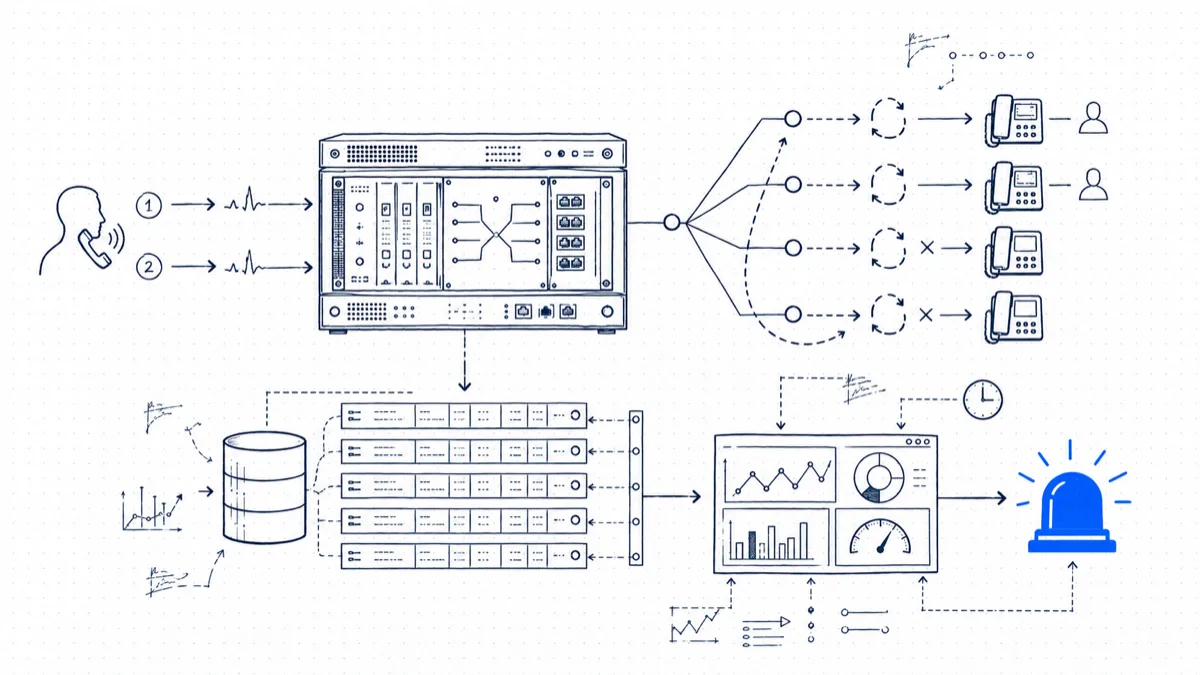
A customer emails: “I called your support line twice yesterday afternoon and nobody picked up.” You open Cisco Unified Communications Manager looking for a missed calls report and find that none exists. CUCM routes calls well and tells you almost nothing about the ones that got away. The data is there: with the right flags set, each call attempt, answered or not, lands in a CDR record. Cisco leaves the interpretation to you, though, and there are three or four traps along the way.
This post covers what missed calls look like inside CUCM CDR data, the service parameters that control whether CUCM logs them at all (out of the box, it does not), the ways hunt pilots distort the picture, and the steps that turn raw records into a report and an alert that reaches you before the customer calls back angrier.
CUCM makes missed-call reporting hard
CUCM writes a CDR record per call, with extra records for transferred, forwarded, or conferenced calls. No “missed” flag exists anywhere in the record. You derive it from three fields:
- duration: total connected seconds. Zero means no conversation took place.
- dateTimeConnect: the epoch timestamp recorded at answer. Zero means no one answered.
- origCause_value / dest_cause_value: ISDN-style cause codes describing why each side of the call ended.
The trap is cause code 16, “normal call clearing.” It appears on good answered calls and on abandoned calls, because in both cases a phone went on-hook without an error. The difference is context: a record with origCause_value = 16, duration = 0, and dateTimeConnect = 0 means the caller gave up while the phone was still ringing, a classic abandoned call. A record where dest_cause_value = 19 means the ring-no-answer timer expired and CUCM pulled the call back, in most configurations to forward it to voicemail.
The cause codes that appear on unanswered traffic:
| Cause value | Meaning | Typical scenario |
|---|---|---|
| 0 | No error | Call legs split by a transfer or conference |
| 16 | Normal call clearing | Caller hung up; abandoned if duration is 0 |
| 17 | User busy | Destination busy with no call waiting |
| 19 | No answer | RNA timer expired, call forwarded or dropped |
| 21 | Call rejected | iDivert pressed, or DND with reject |
The working definition of a missed call: dateTimeConnect = 0 and duration = 0, classified as abandoned when origCause_value is 16 and as rang-out when dest_cause_value is 19.
Step 1: make sure CUCM is logging missed calls at all
Before building anything, check the service parameters, because two defaults will gut your data. In CUCM Administration go to System > Service Parameters, pick each server, then the Cisco CallManager service:
- CDR Enabled Flag: set to True. This is a per-node setting; repeat it on each server in the cluster that processes calls, the subscribers as well as the publisher.
- CDR Log Calls with Zero Duration Flag: set to True. This is the setting most admins miss. The default is False, which means CUCM discards unanswered calls instead of writing them to disk. With this flag off you have no missed-call history and no way to reconstruct it.
- Enable Call Diagnostics Enabled if you also want CMR quality records; missed-call tracking does not need them.
The call-processing nodes flush CDRs to the publisher, and from there CUCM can push flat files via FTP or SFTP to up to three billing servers (under CDR Management in the Serviceability pages). Files arrive about once a minute, which is what makes near-real-time alerting possible later.
The CAR problem
CUCM ships with CDR Analysis and Reporting (CAR), a tool built for billing departments around 2005 that has not changed much since. It keeps a capped database (a couple of months of data on a busy cluster), runs reports in batch, and has no concept of a missed call. You can get calls by gateway or by user, but to find unanswered calls you end up exporting raw CDRs and pivoting in Excel. That works for a one-off audit and fails at “tell me within fifteen minutes.”
If you want continuous visibility, skip CAR and process the flat files from CDR Management with something that understands the field semantics. That can be a script and a database, or a call analytics platform that does the parsing for you.
Hunt pilots distort the picture
If your support number is a hunt pilot, two more fields matter: originalCalledPartyNumber (the pilot DN the customer dialed) and finalCalledPartyNumber (the member extension that answered, or the last one that rang). With broadcast hunting, four phones ring at once and one answers; CUCM logs the call against the answering leg, so do not count the other three members as misses. They produce no separate missed CDRs, and that is correct behavior.
The real failure mode is the opposite one: when a caller abandons inside a hunt, the CDR shows duration 0 and origCause 16, but finalCalledPartyNumber points at whichever member happened to be ringing when the caller gave up. Group your missed-call report by originalCalledPartyNumber. Grouping by finalCalledPartyNumber pins the whole team’s abandons on whichever agent rang last.
One more step: dedupe on globalCallID_callId. Transfers and forwards generate multiple CDR records for what a human considers one phone call, and without deduplication a single abandoned call that bounced through a forward chain counts as two or three misses.
Building a practical missed-call report
With the fields above, the core query is short. Against a table of imported CDRs:
SELECT callingPartyNumber,
       originalCalledPartyNumber,
       dateTimeOrigination,
       dateTimeDisconnect - dateTimeOrigination AS ringSeconds,
       origCause_value,
       dest_cause_value
FROM   cdr
WHERE  dateTimeConnect = 0
  AND  duration = 0
  AND  LENGTH(callingPartyNumber) > 4     -- external callers only
ORDER  BY dateTimeOrigination DESC;
Keep the calling number (that is your callback list), the pilot or DN dialed, and the computed ring time. Ring time earns its column: a call abandoned after 40 seconds of ringing points to a staffing or routing problem, while one abandoned after 3 seconds is a misdial you can ignore.
One refinement worth the extra join: a callback check. Match each missed callingPartyNumber against outbound CDRs in the following 60 minutes. A missed call that someone returned is closed business; a missed call with no return call is the list your team works from each morning.
From report to alert
A daily report tells you what you lost yesterday. An alert gives you a chance to act while the caller still wants to talk. Thresholds that have worked well for us in the field:
- More than 3 missed calls on a hunt pilot within 15 minutes during business hours: notify the supervisor, because the queue is underwater right now.
- The same external number missed twice in one day: send the number to the team channel so somebody calls back.
- A missed call after hours on a line that should be forwarding to an answering service: the forward is broken, and that is a routing fault you can fix tonight.
- Average abandon ring time creeping past 30 seconds over a week: a scheduling problem worth raising before it shows up in revenue.
Because CUCM ships CDR files about once a minute, each of these can fire within a couple of minutes of the event, in time to call the customer back before they have dialed your competitor.
Where PBXDom fits
You can build this workflow with a parser and reporting database, but it must keep handling Cisco call legs, zero-duration records, hunt pilots, and callback matching as the deployment changes. PBXDom is one continuous reporting option for supported Cisco systems. Review the Cisco CDR collection methods, reports, and setup requirements, then check the exact CUCM deployment before choosing self-setup or a guided connection.