 PBXDom
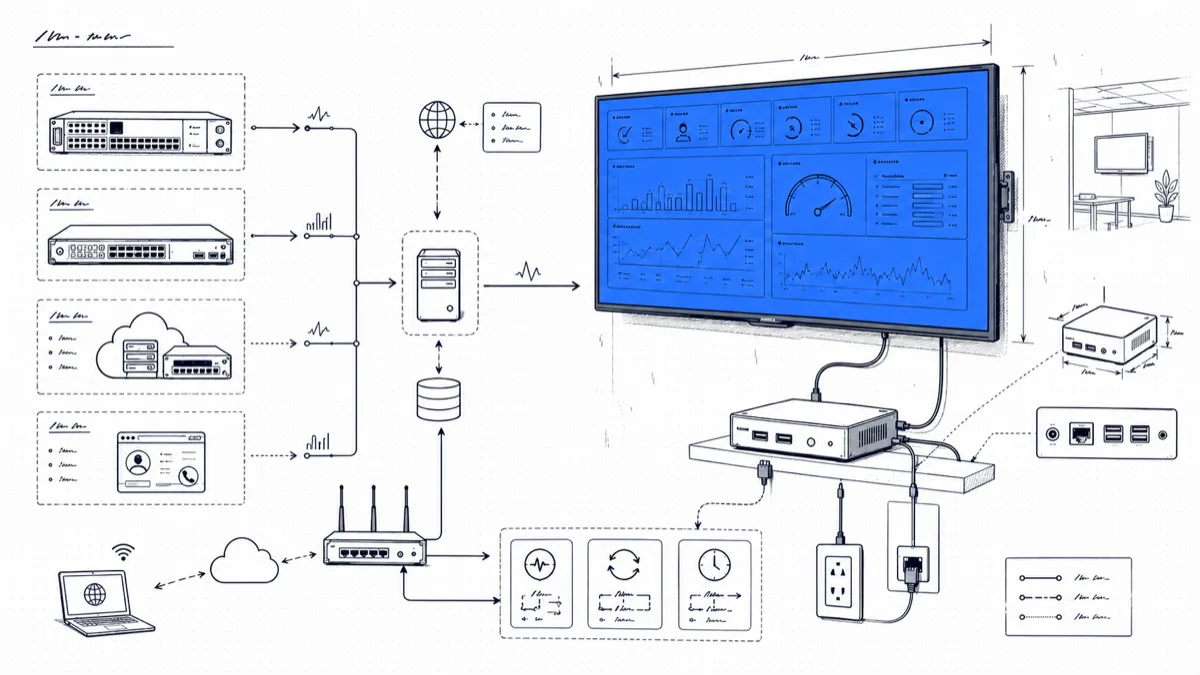
Walk into a service desk that runs a wallboard and you can tell within two minutes whether the team trusts it. On a good one, agents glance up the way drivers check mirrors. Calls waiting climbs to three, someone wraps a ticket faster. Missed calls tick upward before lunch, the team lead moves a break. The team owns a number everyone can see. Bury the same number in a Monday report and someone will explain it away.
We have helped a lot of teams hang that screen, on each PBX brand we support. The TV part is the easy half. The hard half is choosing the numbers that go on it and keeping the browser alive for months without someone climbing a ladder. This post covers both.
A public number changes behavior
A report assigns blame after the fact. A wallboard creates a shared problem in the present. The whole room sees “4 calls waiting, longest 2:50,” and agents pick up before anyone asks. The queue stops being the manager’s metric and becomes the team’s score.
One warning from experience: keep it a team score. A wallboard that ranks agents from best to worst breeds gaming. Show per-agent handled counts if you like, in alphabetical order, and keep coaching numbers like talk time per call on the manager’s private dashboard.
Hardware: three options that work in 2024
You need a TV and something to render a browser full-screen, around the clock.
The TV. Any 1080p set from 40 to 55 inches reads fine across a normal office. New, that is about $180 to $280 in 2024. The TV gathering dust in your storage room works as well. 4K buys you nothing at wallboard font sizes.
Smart TV browser, $0 extra. Most current LG (webOS) and Samsung (Tizen) sets include a browser. It works for a trial week, and we suggest starting there. Over months these browsers drop sessions, reload tabs on their own schedule, and change behavior after firmware updates. Run the demo on the smart TV and budget a dedicated player for the deployment.
Stick or mini PC, $60 to $170. This is the reliable choice. An off-lease Dell OptiPlex Micro or Lenovo ThinkCentre Tiny runs $60 to $100 on the used market and velcros to the back of the TV. A Raspberry Pi 4 lands around $80 once you add the power supply, case, and SD card. A new N95 or N100 mini PC from the budget brands costs $140 to $170 and idles under 10 watts. Skip Chromecast and Fire TV sticks; neither gives you a real kiosk browser without sideloading workarounds you will regret.
The laptop with the cracked screen, $0. Lid closed, HDMI out, external display set as primary. Many of the wallboards we see in the field started life this way.
The widgets that belong on a wallboard (and the ones that do not)
A wallboard answers one question: what should the people on phones do in the next five minutes? The rest belongs on a manager dashboard behind a login.
Earns a spot on the TV:
- Calls waiting right now
- Longest current wait
- Missed calls today
- Answer rate today
- Calls per hour today
- Calls handled per agent today
Stays off the TV: anything with a dollar sign. Call costs, carrier spend, and department chargeback are management data, and your wallboard hangs where visitors, couriers, and the whole company walk past. Long trend charts also fail here; a 90-day line means nothing at a glance, and an agent between calls cannot act on it. Trunk utilization sits on the border. Put it up only if the people in the room can respond when trunks run hot.
Layout rules that survive a real office
The test is brutal and simple: stand five meters away and squint.
- Six to eight widgets, no more. On a 50-inch screen that keeps headline digits around 10 cm tall, readable from across the room.
- Most important number in the top-left. Eyes land there first. For most teams that is calls waiting.
- Dark background. A white screen glows like a lightbox after sunset and shows burn-in shadows within months. Light text on dark holds up.
- Color means alarm. Calls waiting goes amber at 3 and red at 5, and nothing else on the board uses red. If half the screen is colorful, none of it is urgent.
- No scrolling, no tabs. A board that needs interaction is a dashboard and belongs behind a login.
Kiosk mode: set it and stop touching it
The goal is a machine that comes back to the dashboard by itself after a power cut at 2 a.m.
- Set the OS to auto-login and never sleep; turn off screen blanking.
- Launch the browser in kiosk mode at startup. On Windows, a shortcut in the Startup folder:
chrome.exe --kiosk --incognito "https://your-dashboard-url". On a Pi or other Linux box:chromium-browser --kiosk --noerrdialogs --disable-session-crashed-bubble "https://your-dashboard-url". - Use a dashboard that pushes updates on its own. PBXDom boards refresh live; if your tool does not, add a tab-reload extension at 60 seconds.
- Let the TV’s on/off timer handle the panel while the PC runs around the clock. The board is alive the moment the screen wakes.
- Schedule a reboot for the player once a week. Browsers leak; a Sunday 3 a.m. restart costs nothing.
Cisco, Avaya, Mitel, 3CX, FreePBX: same wallboard
The wallboard never talks to your PBX. It reads from the CDR or SMDR stream your phone system already produces, so a Cisco CallManager board and a FreePBX board look and behave the same once the data flows. The only brand-specific step is the connection: Cisco CUCM delivers CDR files over FTP/SFTP, Avaya IP Office streams SMDR over TCP, Mitel and Panasonic systems hand off over IP or an RS-232 serial port on older hardware, and 3CX reporting and FreePBX use files or sockets. A small collector app reads whichever one you have and streams it to the cloud over TLS, which is also why live monitoring keeps working on PBX models the vendor stopped selling years ago.
Where PBXDom fits
PBXDom dashboards can display metrics from received call records. Confirm the model, available widgets, collector requirements, and display access during the trial. Updates depend on record availability. Check your PBX before choosing guided or self-setup.