 PBXDom
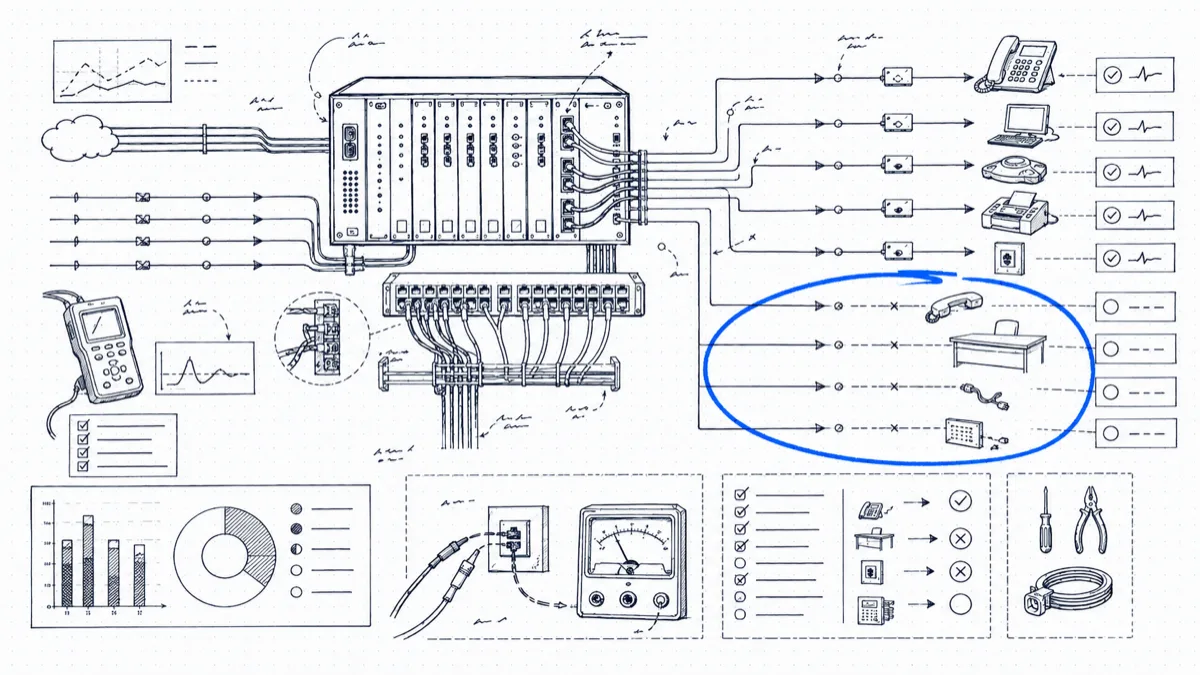
Phone systems only ever grow. Someone joins and you build an extension. Someone leaves, and the extension stays. Multiply that by a decade of staff churn, a couple of office moves, and two years of pandemic-emptied desks, and most PBXs we see are carrying 10–20% pure dead weight: extensions with no user, DID numbers that ring nowhere, and copper lines billing every month for the privilege of doing nothing.
You leave it all alone because the risk feels asymmetric: kill the wrong line and you’ve broken a fax machine or, worse, an alarm panel. The method below finds the dead weight with evidence instead of guesswork.
Step 1: Pull a 90-day zero-activity extension report
Your CDR history already shows which extensions are alive. Group all call records from the last 90 days by extension and flag anything with zero originated and zero answered calls. Ninety days is the right window: 30 days catches people on long vacation, while 90 days of total silence is a real signal.
Two refinements worth making:
- Count answered calls rather than ring events. An extension that rings on a hunt-group overflow without anyone picking up is dead in practice even though it appears in records.
- Separate “no outbound” from “no activity at all.” A receive-only extension might be a legitimate monitoring line; an extension silent in both directions is a candidate for removal.
On a 200-extension system, expect this report to surface 15–30 candidates the first time you run it.
Step 2: Sort the candidates: dead vs. quiet by design
This step keeps you out of trouble. Some lines are silent by design and must survive the cull:
| Line type | Why it looks dead | Action |
|---|---|---|
| Fax lines | A few calls a month, maybe | Verify, tag, keep |
| Alarm/security panels | Dials out only on events or tests | Keep, confirm with facilities |
| Elevator phones | Code-required, near-zero use | Keep, often required by law |
| Lobby/courtesy phones | Sporadic internal-only use | Keep, or consolidate |
| Seasonal lines | Quiet 9 months a year | Tag and review once a year |
| Ex-employee extensions | Silent since a departure date | Remove |
| Forgotten conference rooms | Silent since an office move | Remove |
A useful cross-check: walk the list past HR’s termination dates and the facilities team’s equipment inventory. If an extension went silent the week someone left, the case is closed.
Step 3: Inventory DIDs against the carrier bill
Export all DID numbers from the PBX and line them up against the numbers on your carrier bill. You’re looking for two mismatches: numbers you pay for that route nowhere in the PBX, and numbers routed in the PBX that received zero inbound calls in 90 days. Old marketing campaign numbers, numbers belonging to closed branch offices, and blocks someone bought “for growth” in 2014 all live here. Individual DIDs are cheap (often $0.50–$2 per month) but blocks of 100 add up, and each live number you don’t monitor is a small fraud surface.
Step 4: Hunt the POTS lines, the expensive ones
This is where the real money is in 2022. Since the FCC lifted pricing constraints on legacy copper services, carriers have pushed POTS rates up hard: business lines that cost $40 a month a few years ago now bill $65–$100+ in many markets, with some markets seeing year-over-year increases of 20% or more. Carriers want you off copper, and they price the lines to push you.
Pull your carrier invoices and list every analog line, then match each to a purpose. Typical finds: a line for a fax machine someone threw out in 2019, a backup dial-tone line for a PBX that has since moved to SIP trunks, a modem line for a credit-card terminal that now runs over IP. Each one you disconnect returns $800–$1,200 a year for good, and the lines that must stay analog (alarms, elevators) are often candidates for cheaper POTS-replacement services.
Step 5: Make it a quarterly routine
The first cleanup is the big one; after that, 30 minutes a quarter keeps it clean:
- Re-run the 90-day zero-activity report.
- Diff it against last quarter; most new entries trace back to recent departures.
- Suspend (don’t delete) candidates for 30 days. Silence means the line had no users; a complaint means you reactivate in two minutes.
- Reconcile one carrier invoice per quarter against the live inventory.
The suspend-first step matters. It turns “is anyone still using this line?” from an unanswerable question into a cheap 30-day experiment. It also gives you a paper trail: when finance asks why the line count dropped, you can show which lines you suspended, for how long, and that the suspension drew zero complaints before the disconnect order went in.
What this is worth: a 200-extension example
Conservative numbers from a typical first pass on a 200-extension organization:
- 18 dead extensions removed → 18 user licenses or maintenance seats freed, at $10–$20/month each: $2,200–$4,300/year
- 12 surplus DIDs returned at ~$1/month: $145/year (small, but free)
- 4 unneeded POTS lines at $75–$90/month: $3,600–$4,300/year
- 1 trunk group resized after concurrency review: $1,000–$2,500/year
Call it $7,000–$11,000 a year, recurring, for one afternoon of report-reading and a few disconnect orders. Most teams find the first pass pays for their whole monitoring toolset several times over.
The one hard part is having the activity data in queryable form. PBXDom builds these reports for you from the CDR/SMDR stream of the Cisco, Avaya, Mitel, Panasonic, 3CX, or Asterisk/FreePBX system you already own: extension activity, last-call dates, and per-line cost figures priced against your carrier rates. The quarterly cleanup shrinks to opening a saved report. Plans and pricing are at /pricing/.