 PBXDom
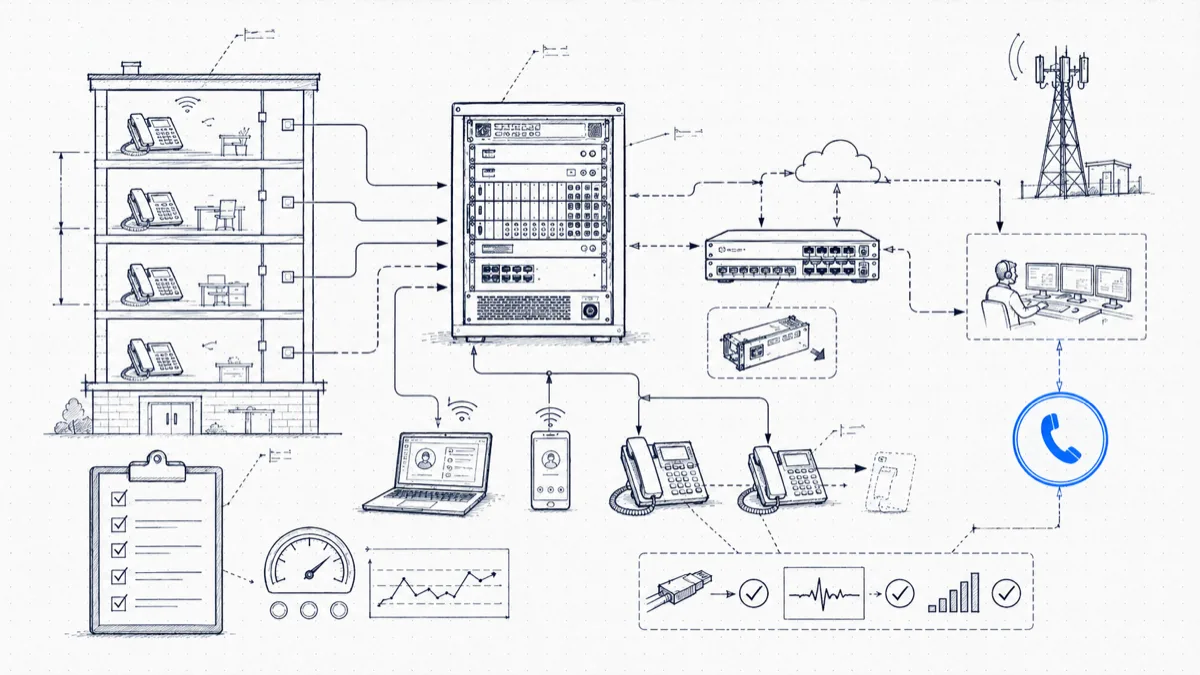
Use this checklist to review your telephone system’s emergency functions after configuration changes. It is a planning aid, not a certification of compliance.
That question deserves more respect than it gets. Phone systems drift. Someone swaps a gateway, adds a floor of phones, migrates a department to softphones, or restores an old config after a hardware failure, and a 911 behavior you tested two years ago breaks with no error message anywhere. The fix is a self-audit you can run in an afternoon and repeat on a schedule. The checklist below is the one we use.
A two-minute recap of the laws’ requirements
For covered systems, U.S. rules address direct 911 dialing, notification, and dispatchable location. Notification should begin with the call where technically feasible and must not delay it. The applicable scope and technical conditions matter; review 47 CFR § 9.16 with your provider and counsel. Call-record alerts alone do not demonstrate compliance.
Dispatchable-location delivery to the PSAP is a separate function from an internal extension-to-location table. Confirm the applicable fixed, non-fixed, and off-premises device requirements with your provider.
Document test results and unresolved gaps. A successful sample test does not guarantee that every endpoint, location, or failure scenario will work.
Before you test anything: call your PSAP
Live 911 test calls are normal and dispatchers handle them all the time, but you coordinate first. Call your local PSAP on its ten-digit non-emergency line, explain that you are validating MLTS compliance, and agree on a window and call volume. Open each connected test with: “This is a test call, no emergency.” Keep tests short, batch them, and hold off during any local incident. Some VoIP carriers also offer 933, a test number that reads back the number and address on file without touching the PSAP. Use 933 for location-data checks if your carrier supports it, and save live PSAP calls for final confirmation.
Test 1: Direct dialing
Dial from one device of each class on your system. The phone on your desk covers a single class, and class matters because dial plans, gateways, and device firmware differ.
| # | Check | How to test | Pass means |
|---|---|---|---|
| 1.1 | 911 with no prefix, desk phones | Dial 911 from one phone of each model in service | Call connects to PSAP without 9 or any access code |
| 1.2 | 911 from softphones | Dial 911 from each softphone client in use | Call connects; correct location attached |
| 1.3 | 911 from analog ports | Test fax lines, lobby phones, elevator and door phones on ATA or analog cards | Call connects |
| 1.4 | 911 from common-area phones | Break room, warehouse floor, conference rooms | Call connects; phone is not locked out of trunk access |
| 1.5 | Prefix tolerance | Dial 9-911 from the same device classes | Call still connects; habit dialing must not fail |
| 1.6 | No interception | Confirm 911 is not routed to reception, an auto attendant, or voicemail first | Caller reaches the PSAP, not an internal stop |
Item 1.5 trips up more systems than 1.1. Plenty of admins got 911 working and forgot that twenty years of “dial 9 first” muscle memory means a panicked caller will dial 9-911. Both must work.
Test 2: On-site notification
For the notification portion of your deployment review, confirm the required initiation timing, monitored destination, and delivery evidence with your provider.
| # | Check | How to test | Pass means |
|---|---|---|---|
| 2.1 | Notification fires | Place a coordinated test call; watch for the alert | Alert arrives without manual polling |
| 2.2 | Timing | Record call, notification-initiation, and receipt times | Provider confirms applicable timing requirements are met; a record after hang-up is not assumed sufficient |
| 2.3 | Destination is monitored | Ask who watched the alert channel at 7 a.m. last Tuesday | A staffed desk, a duty phone, or a group channel, not one person’s inbox |
| 2.4 | Content | Read the alert | Includes calling extension, callback info, and the caller’s location |
| 2.5 | After hours | Test outside business hours | Alert reaches whoever covers nights, or an on-call escalation |
| 2.6 | Shared dependencies | Review and safely test failure scenarios with the provider | Shared collector or network failures are identified; multiple channels are not assumed to provide independent failover |
Verify the actual alert content. A useful example is an extension and maintained building/floor location; confirm callback information and the required fields separately.
Test 3: Dispatchable location
| # | Check | How to test | Pass means |
|---|---|---|---|
| 3.1 | Location per floor or zone | Use 933 or coordinated calls from each floor/zone | PSAP or 933 readback matches the caller’s actual position |
| 3.2 | Granularity | Review your location records | Multi-floor or multi-suite buildings break below street address |
| 3.3 | Moves and changes | Pick a phone that moved desks in the last year, test it | Location reflects where it is now, not where it was installed |
| 3.4 | Remote and softphone users | Test from a home-office softphone | Client prompts for or detects current address; calls do not present the office address from a kitchen 30 km away |
| 3.5 | New-device process | Review your provisioning steps | Adding a phone includes assigning its dispatchable location, every time |
Item 3.3 is where drift lives. Facilities moves desks and the E911 records stay put. Pull a handful of extensions at random and walk to them.
The records to keep on file
If anyone ever questions your compliance, contemporaneous records are the difference between a short conversation and a long one.
| Document | Why it matters |
|---|---|
| Test log: date, devices tested, results, tester name | Proves ongoing diligence, not one-time setup |
| PSAP coordination notes | Shows you coordinated live tests with the PSAP |
| Notification configuration and recipient list | Demonstrates the Kari’s Law alert path exists and is current |
| Location data export (extension to floor/zone mapping) | Your dispatchable-location source of truth |
| Change records for the PBX dial plan | Connects system changes to retests |
| 911 event and notification records | Keep received call records and available delivery evidence separately; a call log alone does not prove notification receipt |
Retest cadence
Twice a year on the calendar, and after any change that touches dialing or trunks: PBX upgrades, new gateways or carriers, office moves or floor reshuffles, new device classes such as a softphone rollout, and config restores after failures. The calendar tests catch drift; the change-triggered tests catch breakage at its source.
Where PBXDom fits
PBXDom can alert on matching emergency-call records from supported systems. Timing depends on record generation, collection, and delivery. Confirm the available caller details and audit evidence during evaluation. Direct dialing and dispatchable-location delivery require separate telephone-system configuration. Check your PBX before choosing a setup path.