 PBXDom
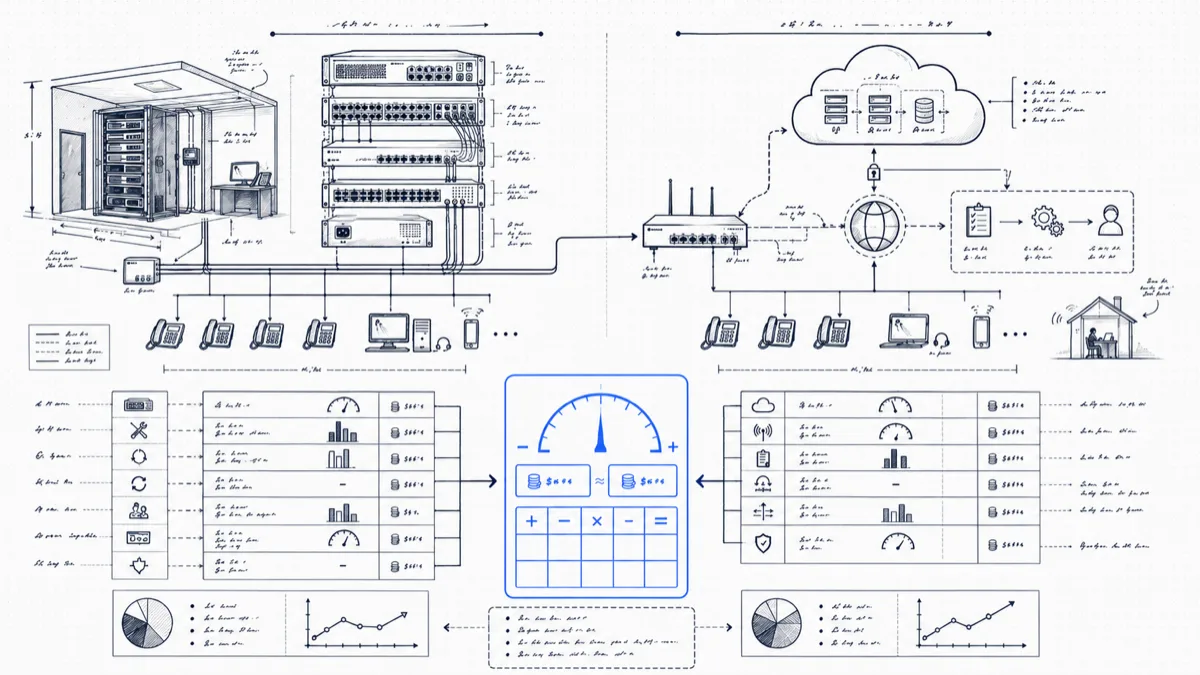
Vendors selling the hosted side wrote most of the “on-prem vs hosted” cost comparisons you’ll find. The tell is what they leave out: they load the keep scenario with imaginary refresh costs and burdened admin salaries, while the hosted scenario includes neither network upgrades nor the implementation invoice. We run an analytics product that sits on top of both kinds of system, so we have no horse in this race, and the honest math is more interesting than the marketing version.
The numbers below model a typical case: 100 users, single main site, an installed PBX (Avaya, Mitel, Panasonic, Cisco; the brand has little effect on the arithmetic) that is paid off and working, perhaps past its official end-of-life date.
The keep scenario
The defining fact about a paid-off PBX: almost all remaining costs are operational, and most of them sit in your current budget already.
Maintenance contract. A third-party maintenance agreement on a 100-user system runs $3,000–6,000/year depending on response-time terms. Call it $4,500. If the system is end-of-life with the manufacturer, third-party maintainers will cover it anyway; EOL is a manufacturer support status, and the third-party market treats it as routine business.
Parts. On-prem critics skip the used market, which for mature PBX hardware is deep and cheap. Line cards, power supplies, and even complete spare chassis for popular EOL models sell for a fraction of original list, often $100–400 per card. Budget $1,000/year and expect to underspend it. A prudent shop buys a spare processor card up front and sleeps well.
Trunks. Both scenarios pay for trunks, in different amounts. A keep scenario often still runs PRI ($450–500/month each), while a hosted migration forces the trunk question. To be fair to the keep case: migrating the existing PBX to SIP trunks via a gateway is a weekend project and cuts the figure hard. We model keep with one PRI retired in favor of SIP partway through: an average of $700/month falling to $450.
Admin time. A stable, mature PBX serving a stable user base needs little attention: moves/adds/changes, the occasional voicemail box, a reboot a year. Four hours a month at a $60 loaded rate is realistic for year one, and it trends down. $2,900/year. (A hosted system needs admin time too, since someone still does the moves and changes in a web portal, so the differential is smaller than either side admits.)
Five-year keep table:
| Item | Yr 1 | Yr 2 | Yr 3 | Yr 4 | Yr 5 | 5-yr total |
|---|---|---|---|---|---|---|
| Maintenance contract | $4,500 | $4,500 | $4,700 | $4,700 | $4,900 | $23,300 |
| Parts (incl. spares) | $1,800 | $1,000 | $1,000 | $1,000 | $1,000 | $5,800 |
| Trunks (PRI→SIP transition) | $8,400 | $8,400 | $6,000 | $5,400 | $5,400 | $33,600 |
| Admin time | $2,900 | $2,900 | $2,900 | $2,900 | $2,900 | $14,500 |
| Annual total | $17,600 | $16,800 | $14,600 | $14,000 | $14,200 | $77,200 |
About $77,000 over five years, or about $12.90 per user per month. We exclude carrier usage charges (long distance, international) from both scenarios since you pay them either way; hosted bundles often include domestic calling, and we credit that below.
The hosted scenario
Per-seat licensing. The 2025 market for business-grade hosted seats lands at $20–35 per user per month at the 100-seat tier once you’re past the teaser pricing; the $15 headline rates come with 3-year terms and omit the features (queues, analytics, recording) that pushed you to migrate in the first place. We model $27/seat: $2,700/month, $32,400/year. Credit the bundled domestic calling at about $250/month against the trunk bill you no longer pay.
Implementation. Discovery, call-flow rebuild, auto-attendant and queue configuration, testing, cutover support. Partner quotes for a 100-user single site run $5,000–12,000. Call it $8,000.
Phones. If your existing phones are digital or proprietary IP sets, they stay behind. New SIP phones run $80–180 each; softphone-only costs $0 and works for some teams, but most 100-user orgs still want physical sets for front desk, warehouse, and the third of staff who hate headsets. Model 70 physical sets at $120: $8,400.
Network. The line item most vendor calculators omit. After a hosted migration, every call rides your LAN and internet uplink: PoE switches where the closet has none ($1,500–3,000 per closet), a QoS configuration project, and in some buildings a bandwidth upgrade or a second uplink for redundancy ($100–200/month if needed). Model $6,000 one-time plus $1,200/year for the upgraded uplink.
Porting and training. Number porting fees and project time: $1,000. Training a 100-person org on new handsets and a new portal: $2,000 in year one.
Five-year hosted table:
| Item | Yr 1 | Yr 2 | Yr 3 | Yr 4 | Yr 5 | 5-yr total |
|---|---|---|---|---|---|---|
| Seats (100 × $27/mo, net of bundled calling) | $29,400 | $29,400 | $30,300 | $30,300 | $31,200 | $150,600 |
| Implementation | $8,000 | $0 | $0 | $0 | $0 | $8,000 |
| Phones (70 × $120) | $8,400 | $0 | $0 | $0 | $0 | $8,400 |
| Network (PoE/QoS + uplink) | $7,200 | $1,200 | $1,200 | $1,200 | $1,200 | $12,000 |
| Porting + training | $3,000 | $0 | $0 | $0 | $0 | $3,000 |
| Annual total | $56,000 | $30,600 | $31,500 | $31,500 | $32,400 | $182,000 |
About $182,000 over five years, around $30 per user per month, with a year-one cash outlay more than three times the keep scenario’s.
Side by side
| Keep the PBX | Go hosted | |
|---|---|---|
| 5-year total | ~$77,000 | ~$182,000 |
| Effective $/user/month | ~$13 | ~$30 |
| Year-one cash | ~$17,600 | ~$56,000 |
| Feature trajectory | Frozen | Improves with vendor roadmap |
| Hardware risk | Yours (mitigated by cheap spares) | Vendor’s |
| Outage risk profile | PBX/trunk failure | Internet/LAN failure |
The gap is about $105,000 over five years for this profile. The number is the honest price tag on what hosted buys you; the decision is whether your business gets $105,000 of value back.
Where hosted wins
- Multi-site greenfield. Opening offices with no installed hardware fits hosted’s zero-capex, identical-everywhere model, and the keep scenario doesn’t exist there.
- No telecom staff. If no one on staff will touch a PBX and each change means a billed vendor visit, the admin line in our keep table triples and the gap narrows fast.
- Heavy remote and hybrid work. Hosted platforms treat a home worker as a first-class endpoint. Bolting remote access onto a 2012-era PBX ranges from clunky to unwise.
- Feature dependence. If the business needs the modern collaboration suite (video, chat, mobile-first), you’re buying that anyway; consolidating onto one platform can beat paying for both.
Where keeping wins
- Large, stable, deskbound user base. A hundred phones that have rung, transferred, and reached the right people for a decade gain little from a migration whose most visible outcome is new ringtones.
- Paid-off hardware. The capital is spent, and the used market makes the hardware risk small and priceable. Walking away from a working asset is a real cost even though no invoice says so.
- Compliance and control constraints. Call paths that must stay on-premises, analog requirements (elevators, fire panels, gate phones, paging), and environments where the internet link is the least reliable component all favor the metal in the closet.
The middle path the comparisons skip
The debate assumes modern capabilities require migrating the dial tone. The features you miss on an older PBX (live dashboards, missed-call visibility, fraud alerts, 911 notification, cost reporting) live in the call records, and your existing PBX has produced those records all along.
PBXDom adds dashboards, alerting, and call accounting to documented phone systems. Compare your actual collector, hosting, and subscription requirements with the illustrative costs above. Check your PBX before choosing guided or self-setup.