Notify your team when PBXDom receives an emergency-call record. Caller details and timing depend on your PBX output, configuration, and delivery.
Available on Pro plans and up · Confirm your PBX output and alert requirements
Inside PBXDom / Alert message
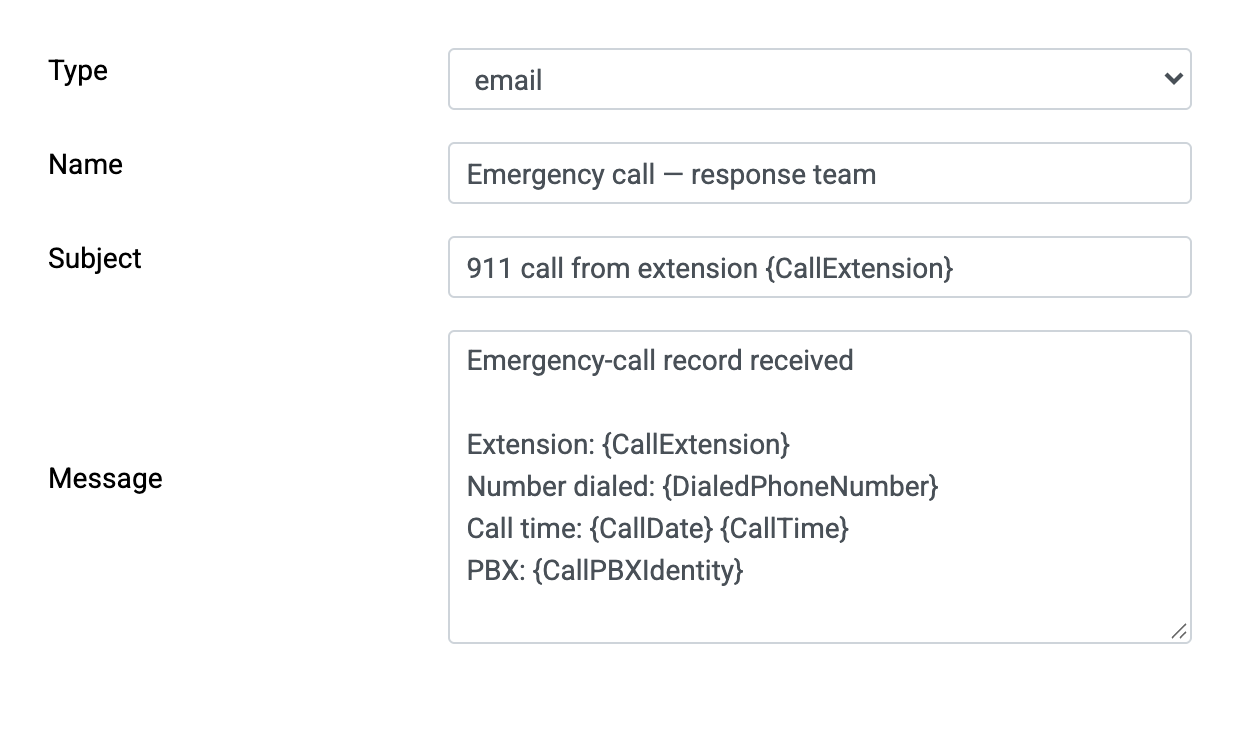
Illustrative workflow · Example details
Example: extension 214, Building B, Floor 2. Caller context depends on the records and extension information you maintain.
Collection starts after the PBX makes the record available. Some systems wait until the call ends.
Email, Slack, or Zapier on Pro and up; SMS and automated voice on Advanced and up. Confirm recipients and the contents of each alert.
In a school, hospital, hotel, or campus, your team needs useful caller context. Keep extension information current and validate which details your records and configured alerts can provide.
Timing depends on PBX record generation, collection, and channel delivery. Validate the complete path for your exact deployment.
Available context depends on the call-record fields and the extension information you maintain. Confirm the content of each configured alert.
Configure available email, SMS, automated voice, Slack, and Zapier channels. Delivery times can differ by channel. Email, Slack, and Zapier on Pro and up; SMS and voice on Advanced and up.
Review emergency dialing, notification timing, and dispatchable location with your telephone-system provider. Record-based alerts alone do not establish compliance.
Review received emergency-call records. Confirm the available notification and delivery evidence before relying on it for an audit.
No new phone system is required when the existing PBX and call-record output are supported.
Emergency dialing, notification, and dispatchable-location requirements depend on the applicable rules and deployment. A record received after a call ends may be too late for the required notification. PBXDom's record-based alerts do not configure 911 routing or deliver dispatchable location to the public safety answering point.
Review 47 CFR § 9.16 with your telephone-system provider and counsel. Validate the required emergency functions separately from call-record reporting.
Available alert conditions depend on your plan and the fields received from your PBX. Review these use cases during evaluation:
Calls placed from the warehouse at 3 AM? Get a heads-up before it becomes a pattern.
Review unexpected international or premium-rate dialing as a potential sign of toll fraud. Alerts do not block calls or guarantee loss prevention.
Watch calls to competitors, regulators, or any number list that matters to your organization.
Review unusual call volumes using the records available from your system.
"Our vendor said there really wasn't anything out there to fulfill our needs. I stumbled upon PBXDom, and once the team assisted with getting it functional, we have never looked back."
Check your PBX, then choose guided setup if you want us to connect it, map locations, and send a test alert with you.
Available on Pro, Advanced, and Enterprise plans
 PBXDom