 PBXDom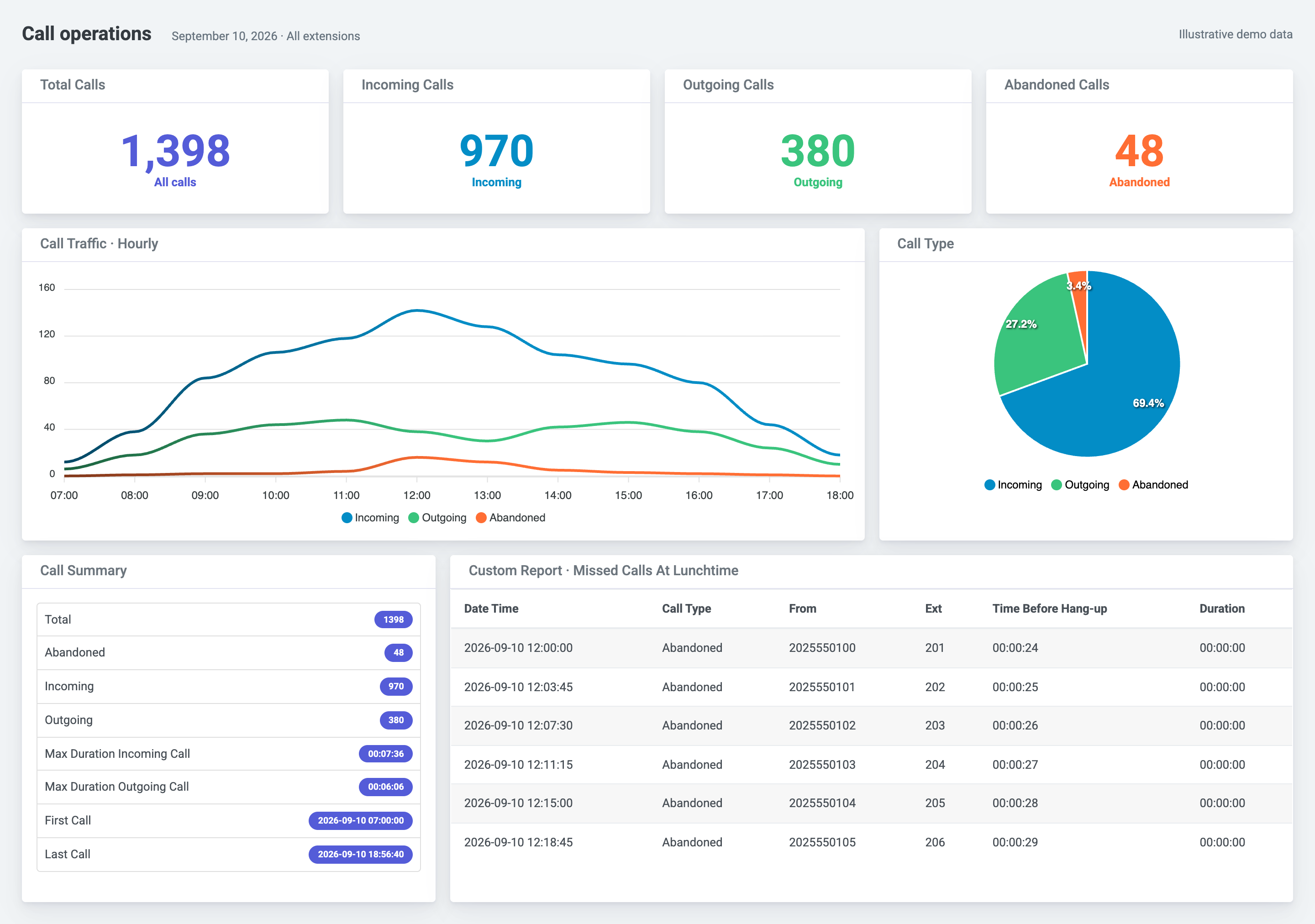
From call records to a useful daily report
See when calls peak, review missed calls, and compare extension activity without assembling another spreadsheet. PBXDom adds dashboards, searchable call history, scheduled email reports, and reporting across supported phone systems.
Start with a call-history sample or an abandoned-calls sample. The dashboard above uses illustrative PBXDom data, not a capture from an Asterisk deployment. Available fields and metrics depend on your call-record output and configuration.
Choose your collection method
Both documented paths use Asterisk call data. Choose the host and connection method before installing a collector.
Linux collector on the FreePBX server
The documented Linux collector runs on a 64-bit FreePBX host. It configures manager/CDR output and discovers extensions and trunks. Installation needs administrator access and changes PBX configuration; review the exact release and installer with your PBX administrator first.
Historical tests cover SNG7 with Asterisk 13 or 16, and older 10.13.66 builds with Asterisk 11 or 13. Those tests do not establish support for every later FreePBX, Asterisk, or Linux release. Review the FreePBX requirements and confirm your current build before installation.
Windows collector over AMI
An always-on Windows collector connects to the Asterisk Manager Interface over the local network. This is the documented alternative for legacy and 32-bit systems, subject to checking the exact deployment. AMI uses TCP 5038 by default; confirm the configured port and restrict access to the collector host.
The connection requires a dedicated manager account, appropriate permissions, and enabled CDR manager output. Follow the Asterisk AMI configuration guide. Keep the collector running and the network path available while collecting records.
What you need before setup
- Your FreePBX and Asterisk versions, operating system, and 32-bit or 64-bit architecture.
- Administrator access for the selected collector host and PBX configuration.
- Enabled call-record output and the required manager permissions.
- A local network path to AMI for the Windows option; do not expose it to the public internet.
- Outbound internet access from the collector host to PBXDom.
- An extension and trunk inventory to validate call direction and reporting.
The collection path is FreePBX/Asterisk → local collector → PBXDom cloud → dashboards and reports. Review security and data flow before connecting your system. Setup time depends on access, configuration, and network requirements.
Supported systems and reporting limits
The current catalog has one supported FreePBX/Asterisk family. It is not a certification of every software release. Issabel and Elastix are not additional supported offerings in this catalog.
Asterisk generates the records used for reporting. The official AMI documentation describes the interface and access permissions; the CDR event documentation explains that CDR events require the manager backend to be loaded and registered. A connected socket alone does not establish that call records are arriving.
Use your existing call logs when they answer your question. PBXDom is useful when you need shared dashboards, scheduled reporting, longer-range analysis under your selected retention plan, or a common view across supported sites and vendors. It does not replace PBX administration or call routing.
Validate your first calls
After configuration, make an answered incoming call, an answered outgoing call, and an unanswered test call. Compare the received records with the PBX call log: time, direction, extension, answer state, and duration. Check transferred calls separately before relying on totals.
If records are missing, verify collector status, AMI reachability and permissions, CDR output, and outbound connectivity. A running service alone is not proof of a working reporting pipeline.
Check your FreePBX or Asterisk deployment
Check compatibility for reporting without entering an email address. Review the requirements, then choose self-setup or a guided connection for the 14-day trial. Have your exact versions and host details ready so the collection method can be confirmed.