 PBXDom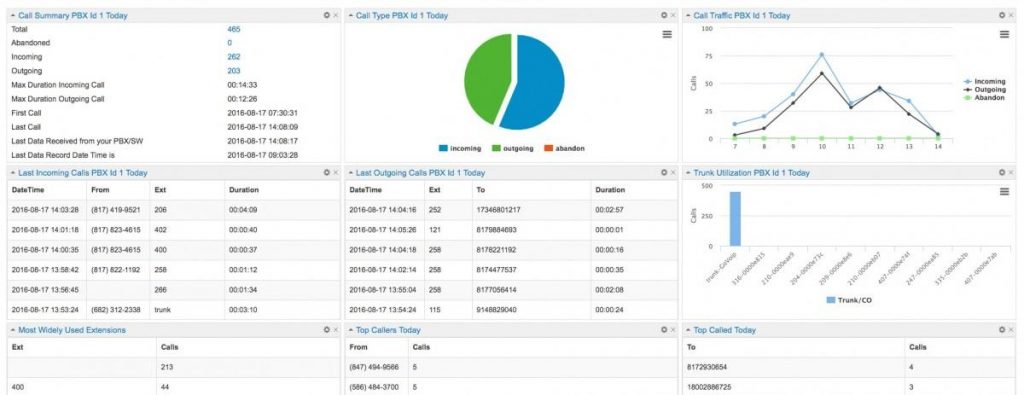
Cisco CDR reporting without spreadsheet exports
Cisco Unified Communications Manager produces detailed call records, but using them operationally usually means collecting files, converting epoch timestamps, interpreting cause codes, and maintaining a reporting database. PBXDom keeps that collection running and turns the records into dashboards and reports that managers can use without handling raw CDR.
The collection method depends on the Cisco platform:
| Cisco system | PBXDom collection method |
|---|---|
| Unified Communications Manager 5+ | CUCM pushes CDR files to the collector over FTP or SFTP after it is configured as a billing application server in Cisco Unified Serviceability. |
| UCM Business Edition 5+ | Uses the CUCM billing-server export workflow. |
| Legacy Call Manager before version 5 | Collector reads the CallDetailRecord table from Microsoft SQL Server on the Publisher. |
| UCME and UC500 | IOS sends RADIUS accounting records or Syslog call events to the collector. |
| Cisco voice gateways | IOS file accounting delivers gateway CDR files by FTP. |
The exact CUCM release, enabled CDR services, and network path still need confirmation before installation. The compatibility check handles that before account creation or scheduling.
Reports built from Cisco Call Manager records
PBXDom normalizes Cisco timestamps and call fields into:
- complete incoming, outgoing, internal, and abandoned call history;
- missed-call counts and unanswered-call detail;
- call volume and duration by extension, department, site, or gateway;
- busiest-hour and historical trend reports;
- scheduled reports delivered by email;
- emergency-number and threshold alerts from the same call stream.
View the call-history sample or see the abandoned-calls report before connecting a system.
What the Cisco setup changes
PBXDom does not replace CUCM, alter the dial plan, or move phones. A lightweight collector runs on an always-on Windows machine with access to the Cisco reporting output and outbound TLS access to PBXDom. You enable the appropriate CDR or IOS accounting output and point it at that collector.
For UCM 5 and later, the usual sequence is:
- Confirm that CDR generation and billing-server delivery are enabled.
- Install and register the PBXDom collector.
- Add the collector as the Cisco billing application destination.
- Confirm that the first files arrive and open the resulting dashboard.
The detailed walkthrough is available in How to Create a Cisco CallManager Dashboard in 10 Minutes.
Where PBXDom fits
PBXDom is a reporting, analytics, alerting, and call-accounting layer for call records. It is not a call-recording platform, a replacement for Cisco administration tools, or a contact-center routing engine. Organizations use it when CUCM remains the phone platform but its operational reporting is too manual, fragmented, or difficult to share.
Multiple CUCM clusters, branch UCME routers, and Cisco gateways can report into one PBXDom account. Retention and the number of phone systems depend on the selected plan.
Cisco reporting evaluation options
Check the exact Cisco deployment without providing an email. The result shows the public support status, likely plan, and setup requirements. From there, either create an account and follow the guide or book a guided connection session for the same 14-day trial.