Review call demand, unanswered attempts, and extension activity using the records your city office’s PBX can provide.
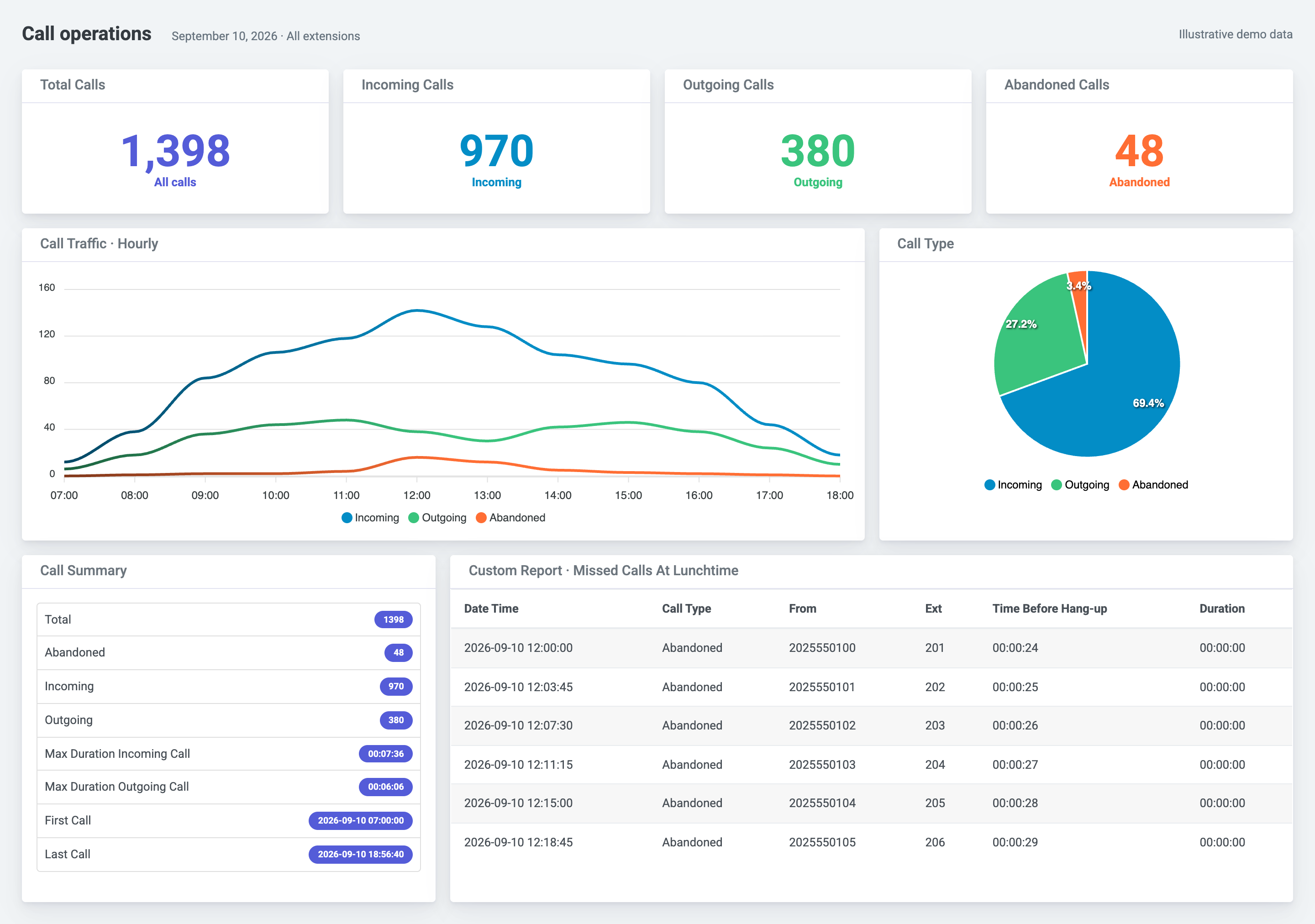
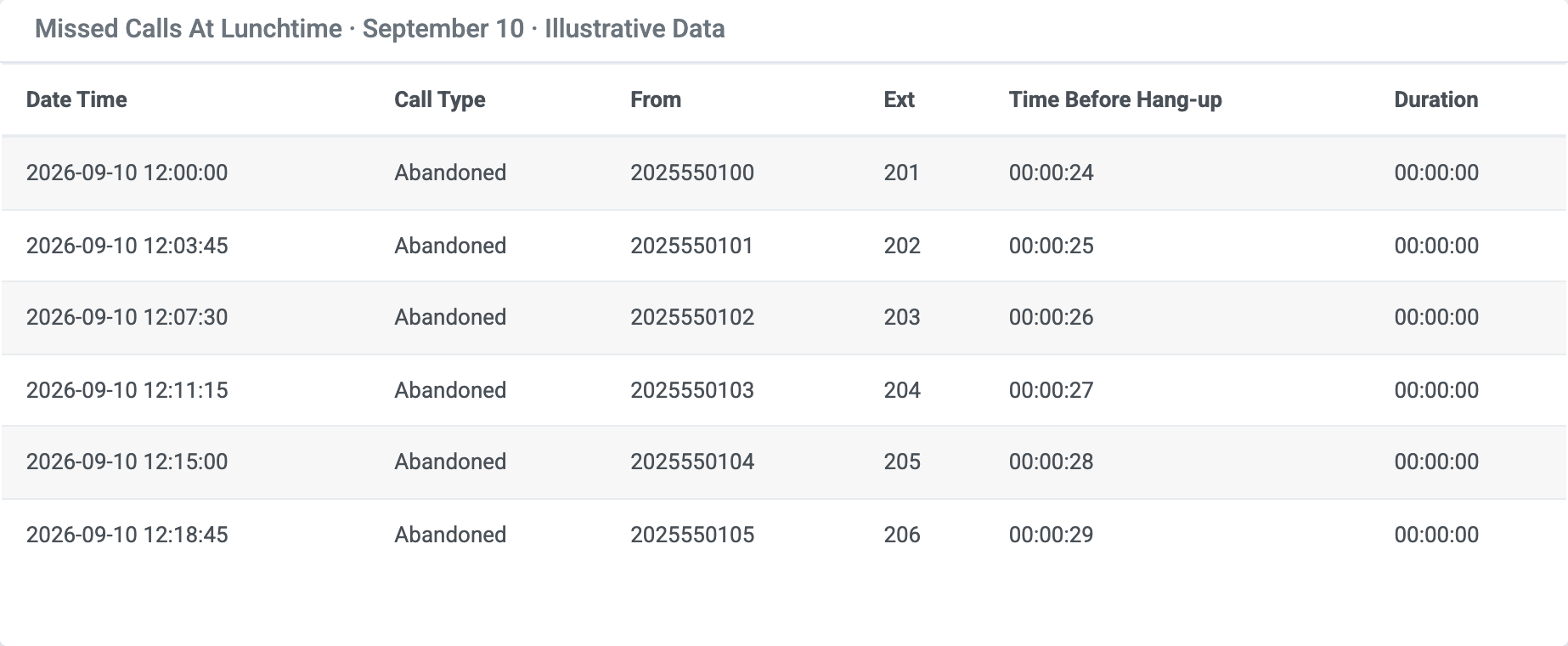
A traffic peak tells you when to look. The underlying records help you find the extension, caller, and time to review with the department. Validate the available fields before drawing conclusions about coverage.
Compare hourly call volumes with the department’s coverage schedule. Counts show demand, not concurrent calls or available capacity.
Review missed-call records by time and extension. Call classification and waiting-time fields depend on what your PBX supplies.
Compare incoming and outgoing totals for the same period. Activity alone does not establish staff productivity or service quality.
Review extension and department estimates using configured rates, then reconcile with carrier charges. Estimates are not a carrier invoice.
Review hourly demand, call outcomes, and extension activity with dashboards and reports.
Learn more →Review alert delivery and supported call events for your PBX. Alerts supplement—not replace—emergency procedures.
Learn more →Review estimated charges using configured rates and compare them with your carrier bill.
Learn more →Check the phone system and requirements first, then choose guided setup, self-setup, or a product preview.
 PBXDom