Turn your PBX call records into estimated costs by extension and department—and reports you can compare with your carrier bill.
Available on Pro plans and up · Custom cost plans on Advanced and up. Compare plans →
01 / Period costs
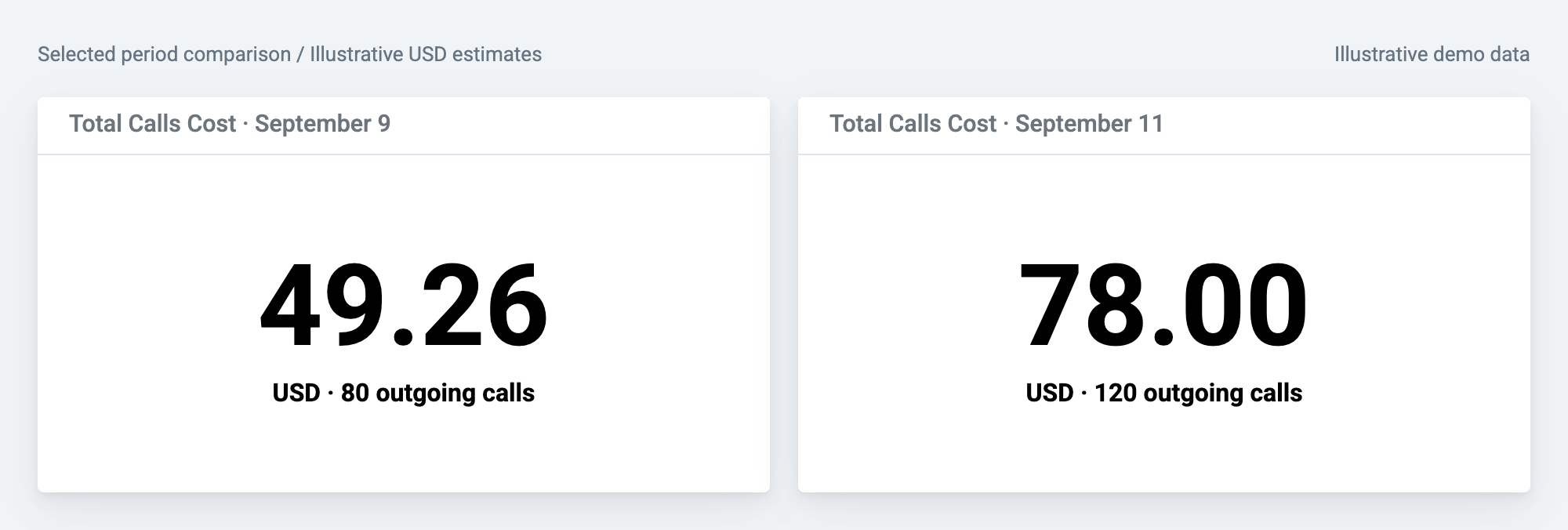
Place cost-total widgets for two selected periods side by side. The estimate rises from $49.26 to $78.00 here, while outgoing calls rise from 80 to 120. Use the totals to decide where to investigate.
02 / Extension costs
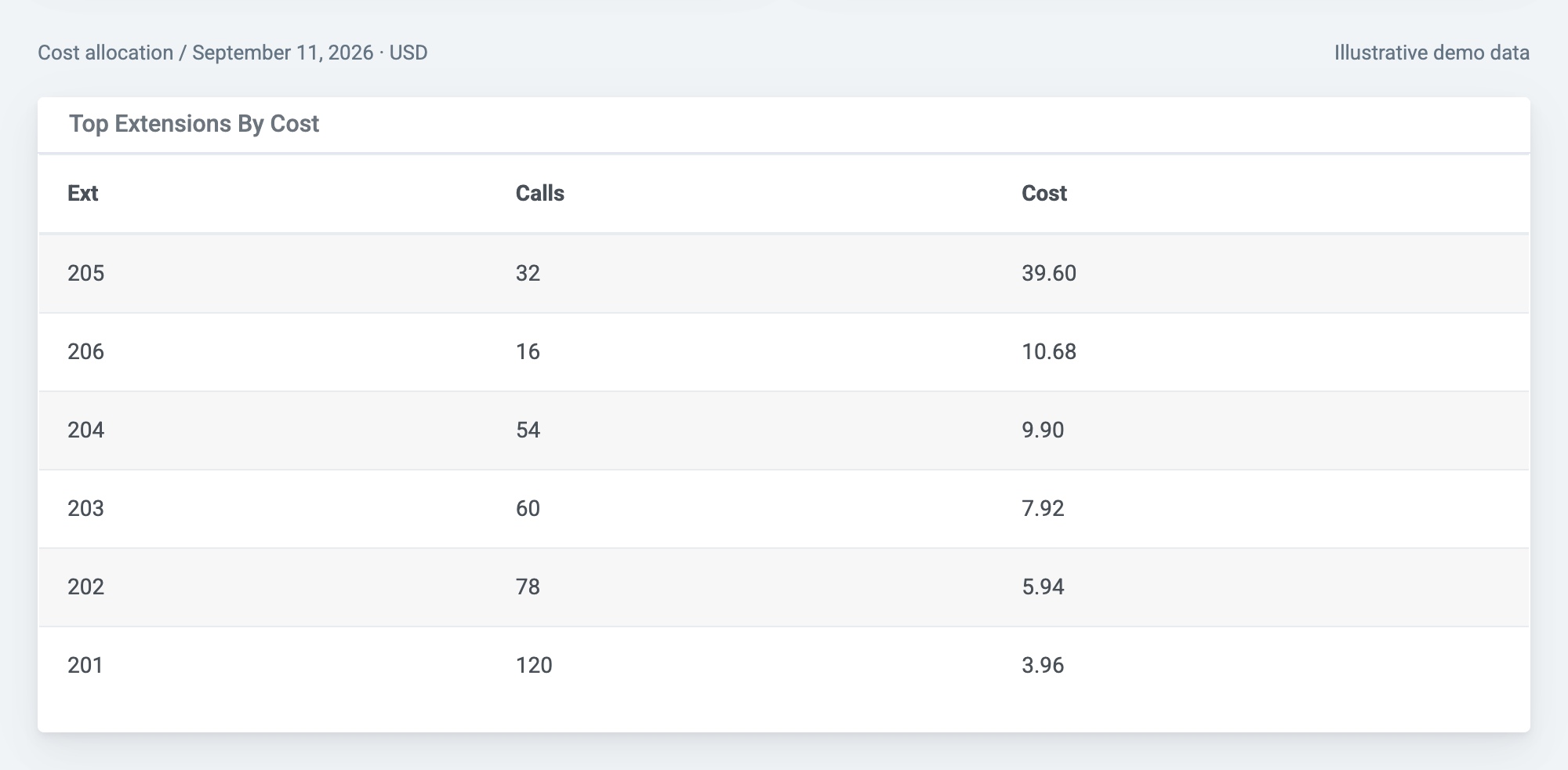
Extension 205 has only 32 incoming and outgoing calls, yet accounts for $39.60—more than half the day's $78.00 estimate. Extension 201 handles 120 calls for $3.96. Call count alone doesn't explain cost.
03 / Individual calls
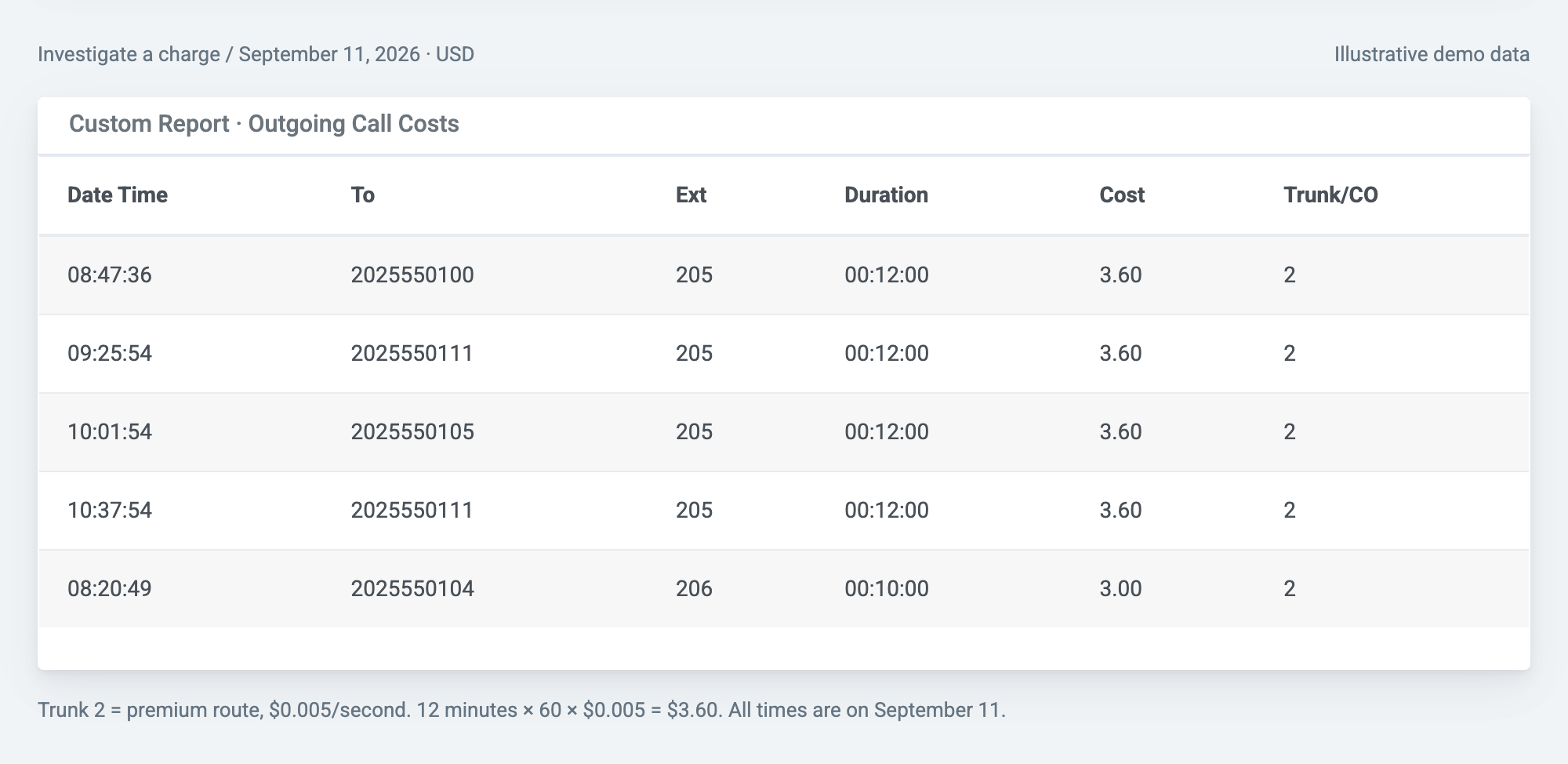
Inspect destination, extension, duration, and trunk alongside the estimated cost. In these selected high-cost calls, extension 205 uses the premium route: a 12-minute call costs $3.60 under the example's rate rules.
PBXDom collects CDR or SMDR from your phone system. Configure extension aliases, department groups, and cost classes to turn those records into reports of destinations, durations, trunks, and estimated charges. Available fields depend on what your PBX provides.
Looking for telecommunications accounting software? This page covers PBX call usage and cost allocation—not general-ledger accounting, mobile data billing, or invoice payment processing.
Review the cost field alongside each call's destination, duration, extension, and trunk. Estimates use the cost class assigned in your PBX settings.
Custom cost plans on Advanced and up support destination patterns, per-call and per-second rates, minimum charge durations, and time-of-day rules.
Group extensions by department and filter reports for each team. Use those estimated call costs to support your internal chargeback process.
Filter reports by date, call type, number, extension, or cost range to investigate unexpected charges and unusual calling patterns.
Export reports as CSV, Excel, or PDF for spreadsheet comparisons and review with finance. API and webhooks are available on Advanced and up.
Review earlier reporting periods within your retained data. Call-accounting plans offer 1.5 to 5+ years of retention, depending on the plan.
Use exported PBXDom records as a second source when reviewing an invoice. A difference is a reason to investigate—not proof that the carrier overcharged.
Continue the September 11 two-route example with a fictional carrier charge—not customer results or a product screen.
This is a manual review using exported reports. It does not represent automatic invoice import, matching, or refund recovery.
Check your PBX model and CDR or SMDR output. Validate a sample of destinations, durations, extensions, and trunks against known calls.
Inspect an outgoing-call report →Bring your extension-to-department list and carrier rate details. Check the assigned cost classes; choose Advanced or up if you need custom rate rules.
Read the PBX settings guide →Filter a report to one department and date range, export it, and compare a few known calls with your expected rates before using totals for allocation.
Read the reporting guide →Check compatibility, then choose guided setup to review collection requirements and cost configuration with us. Have your PBX model, sample call records, and carrier rate details ready.
Call accounting on Pro and up · Custom cost plans on Advanced and up
 PBXDom